Conversation
Talk to agents and teammates in a channel: messages, runs, chats, questions and approvals.
Chat posts to the channel; Ace invokes the channel's agent. The mode is remembered per channel.
-
Channel → composer → mode button (Ace ⌄ / Chat ⌄)
Chat shows
Mention @ace to ask the agentand no model picker; Ace puts anacechip in the composer and shows the model and effort pickers.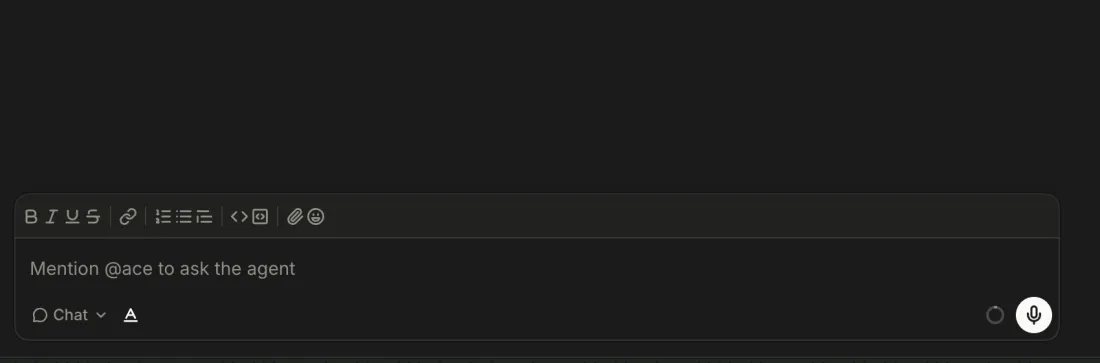
-
Type
@a, then Enter or Tab on theacesuggestion, or type@aceand a space.The text becomes an
acechip and the mode switches to Ace. Removing the chip switches back to Chat.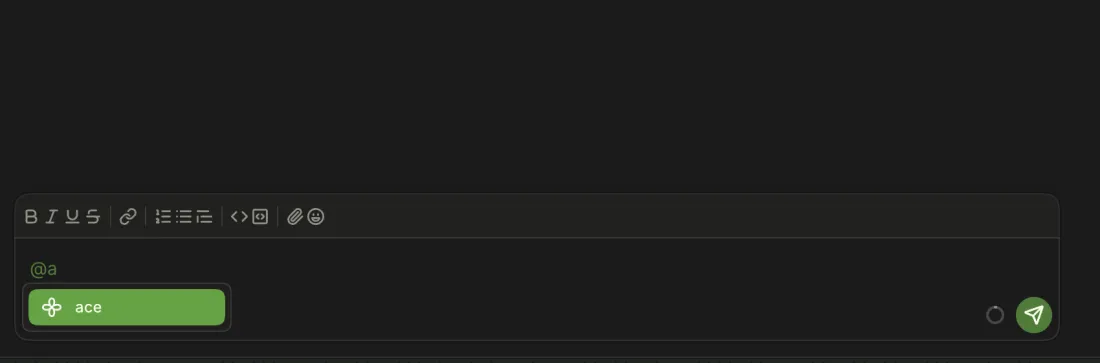
-
In Ace, Esc goes to Chat and turns the chip back into words. In Chat, Esc twice within 350 ms goes to Ace.
From
ace hi, Esc lefthiin Chat mode. Esc Esc from Ace only goes to Chat (the first Esc leaves Ace, the second does nothing).
-
Chat mode posts the message (
say). Ace mode posts it and starts a run (ask); the reply streams under the agent's model name. -
-
Composer → Send (green arrow)
An empty composer shows a microphone in its place.
-
Composer → type
@The list offers only
ace; Enter or Tab inserts the chip. -
Composer → type
@@suggestsace, then the channel's members: ace-demo-rivera, present in x4, was listed with their avatar.
-
Dashboard → Start a new channel
@Add a notestays plain text, and@suggests onlyace.1 Not reproduced here:
@, Backspace, then typing did not leave the popup armed, and Enter still sent, in headless Chromium on both the Dashboard and the channel composer. The reported dead Enter may be WebKit-only.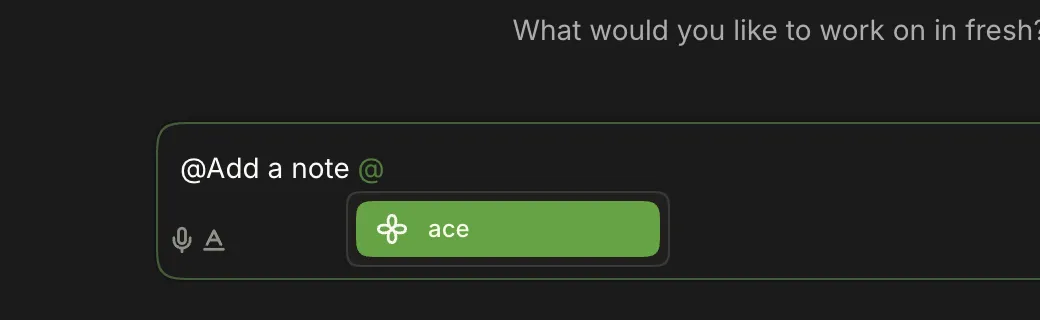
-
A teammate types in the chat you have open.
A typing line names them under the transcript; it clears when their message arrives, or about 5 s after their last keystroke. The app signals every ~3 s while you type.
-
Composer → A (Show tools / Hide tools)
Hides the row of Bold, Italic, Underline, Strikethrough, Link, lists, quote, code, Attach and Emoji. Phones start with it hidden.
-
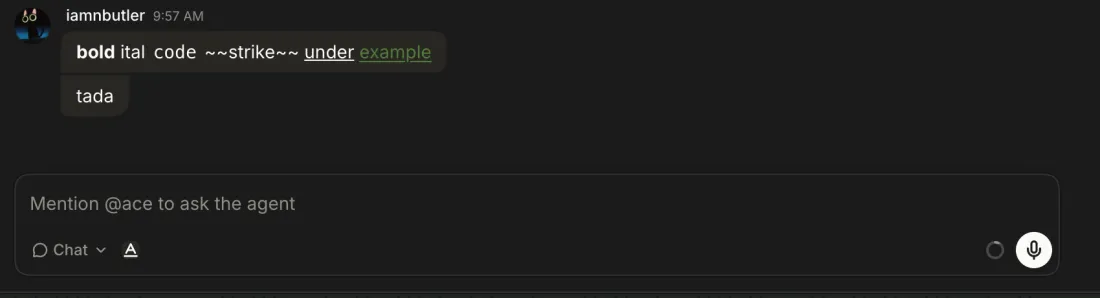
Cmd+B, Cmd+I, Cmd+U, Cmd+E (code), Cmd+Shift+S (strike), Cmd+Alt+7/8 (lists), Cmd+Shift+. (quote), Cmd+Alt+` (code block).
The sent message keeps the formatting.
2 Markdown typing converts `
,-lists and`fences, but~~strike~~andbold` stay literal.
-
Composer → Link, or Cmd+K
Enter a URL and a name, then Apply.
The link is sent as a link and listed under Links in the details sidebar.
-
Type
:thumbsand pick from the list.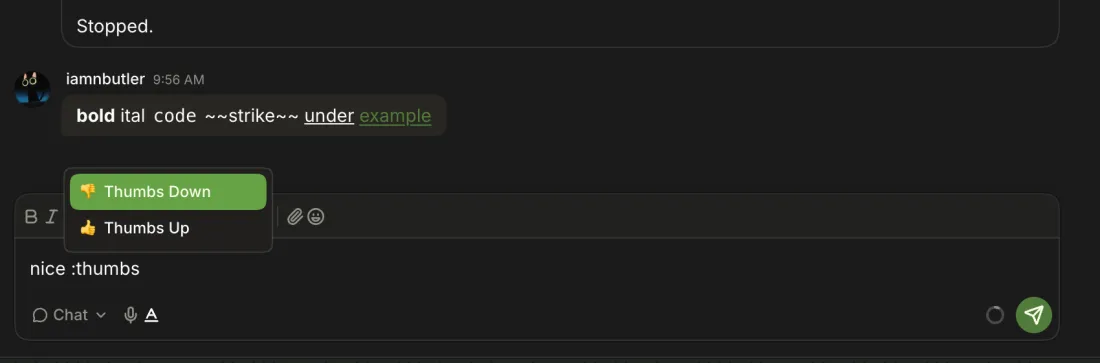
-
Composer → Emoji
The picker focuses its search: typing
tadafilters to 🎉 and Enter inserts it at the cursor without sending.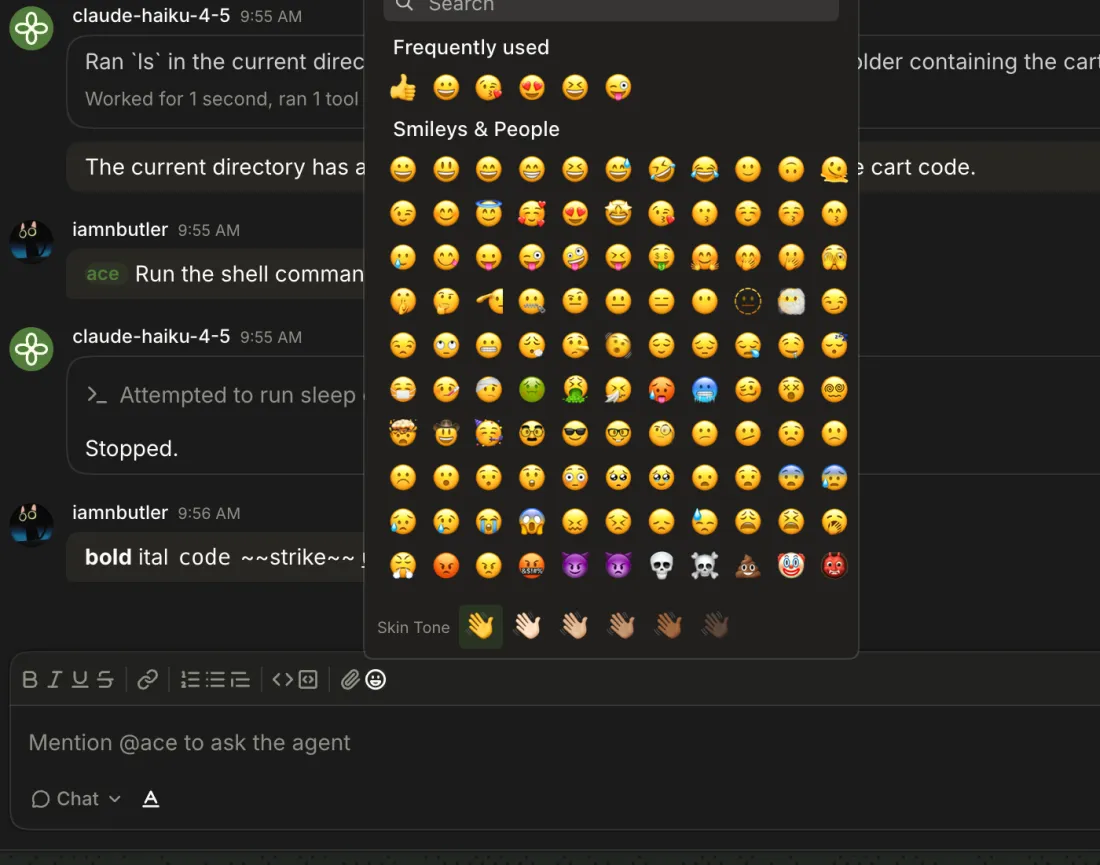
Images, text files and PDFs. Images are re-encoded as JPEG; PDFs go to the model as their text.
-
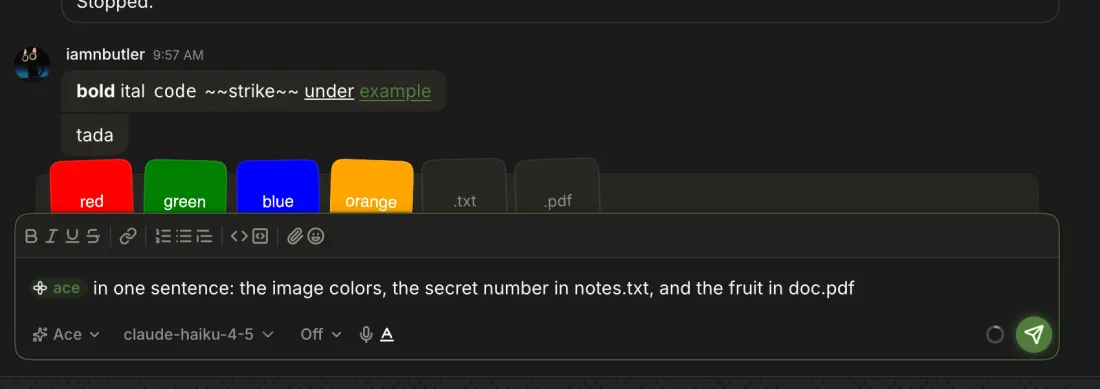
Composer → Attach
Each file becomes a chip above the composer.
-
-
-
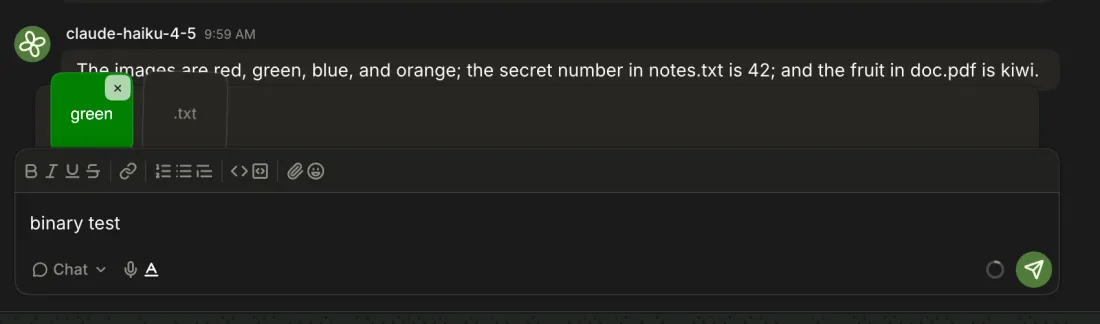
haiku read four images, a .txt and a PDF in one message:
red, green, blue, and orange … 42 … kiwi. -
Images open in a viewer; text files and PDFs (as text) open in a file viewer with line numbers.
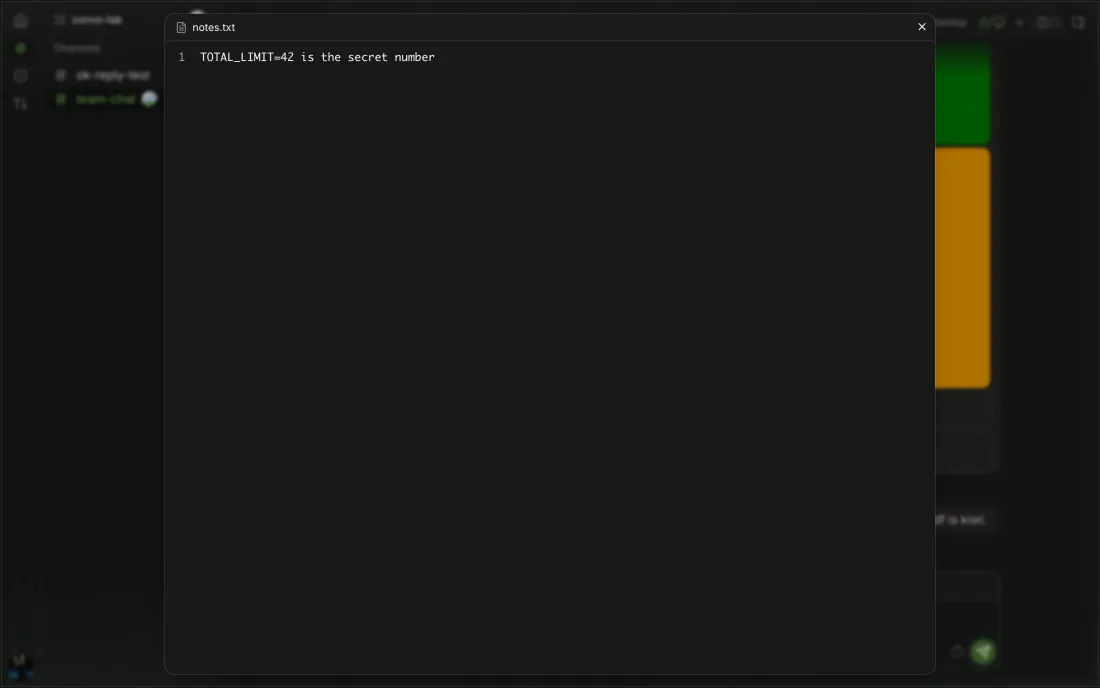
-
Chip → ×
-
Could not send message — blob.bin isn't a text file; only images, text files, and PDFs can be attached, on send, not on attach.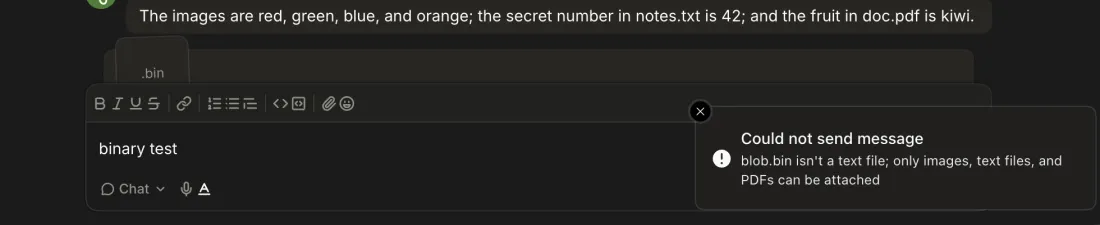
-
Choosing six images attaches four, with toast
A message can carry 4 images/2 images weren't attached.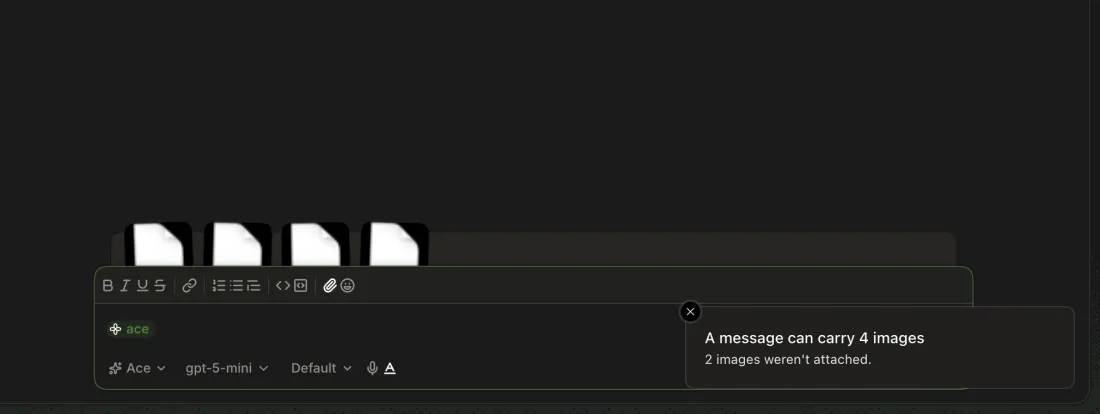
-
Without microphone access, Record toasts
Voice input stopped/Microphone access is off for Ace. Allow it in your browser or system settings.3 Canary 0.0.51.85: both macOS prompts and the level meter worked; with the Mac muted nothing was transcribed, and silence gave no feedback.
Ace mode only. The pick is kept per chat in this browser and applies from the next run.
-
Composer → model button → Search models
Automaticfirst, then every model of each configured provider, filtered as you type. The next reply is labeled with the picked model. -
The channel picks a model with a working key.
-
Composer → effort button
Off, Minimal, Low, Medium, High for claude-haiku-4-5;
Defaultwhen no effort is picked.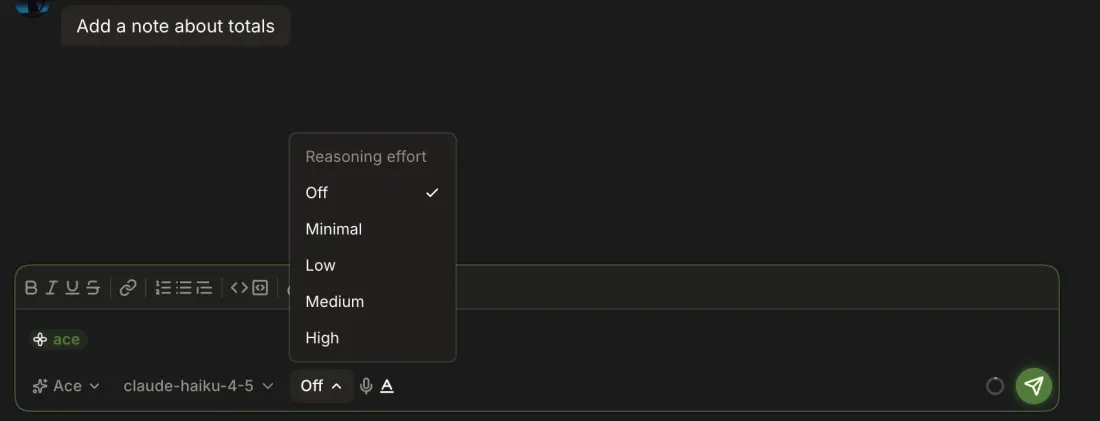
-
Refused:
Could not invoke agent — The chat is busy; stop it or wait before changing its model or reasoning effort, with no Providers button. The draft stays.
-
The agent's avatar animates, tool rows appear as they run (
Running sleep command for twenty-five seconds… Ran 1 command), and the channel's sidebar icon spins.
-
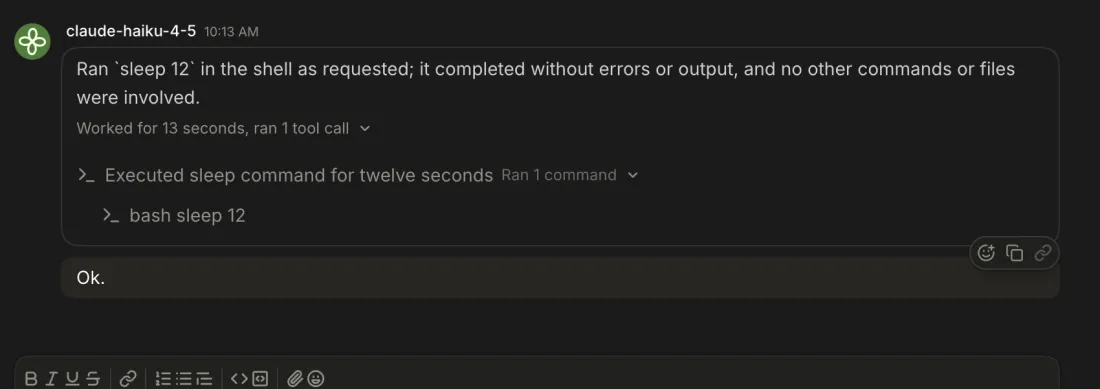
Reply → Worked for N seconds, ran N tool calls
When the answer arrives the work rolls up into a one-line summary; clicking it lists the steps, and each step lists its tools.
-
Rollup → step → tool row (
bash seq 1 60)The command's output in a code block. 400 lines showed in full; no Show more appeared.
-
Created document notes.txtandEdited 2 files — notes.txt, README.mdunder the answer. Clicking a file, or Review, opens the chat's Diff tab at it. -
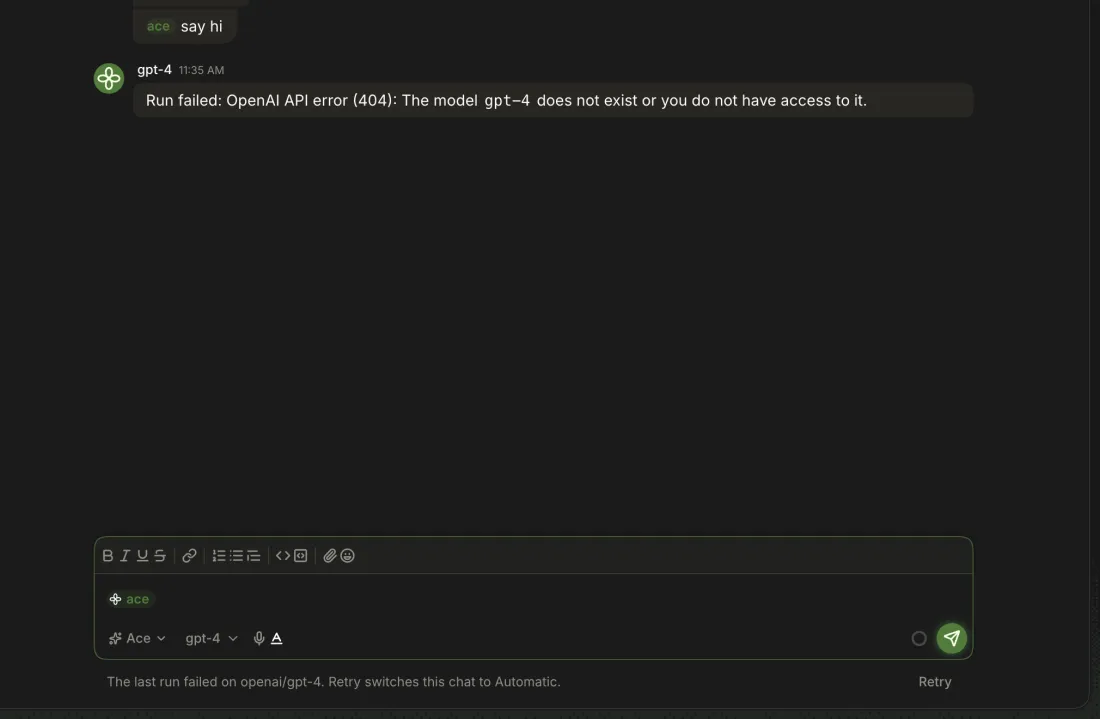
Run failed: OpenAI API error (404): The model gpt-4 does not exist or you do not have access to it.under the model's name.4 Unverified in the 2026-10-22 study: it couldn't cause a whole-run failure; a stopped run and a failed tool showed no run-level failure.

-
Under the composer:
The last run failed on openai/gpt-4. Retry switches this chat to Automatic.Retry asksTry again., toastsSwitched this chat to Automatic, and the run answers on the automatic model (claude-haiku-4-5).5 Unverified in the 2026-10-22 study: no run failed, and a stopped run offers no Retry.
-
1 queued messageabove the composer with the text andWaiting for the agent. -
The queued
also say the word bananajoined the running turn; the answer wasokthenbanana.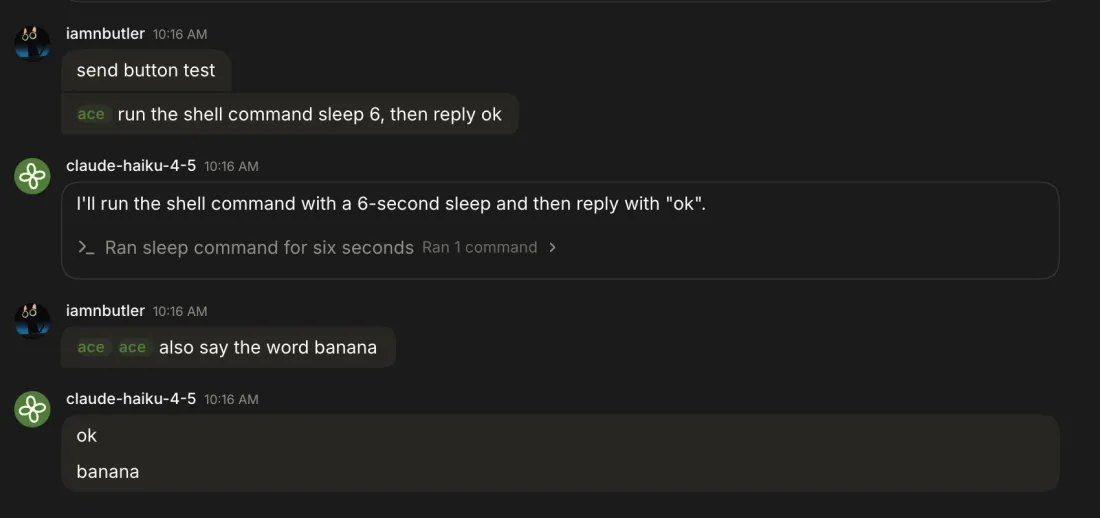
-
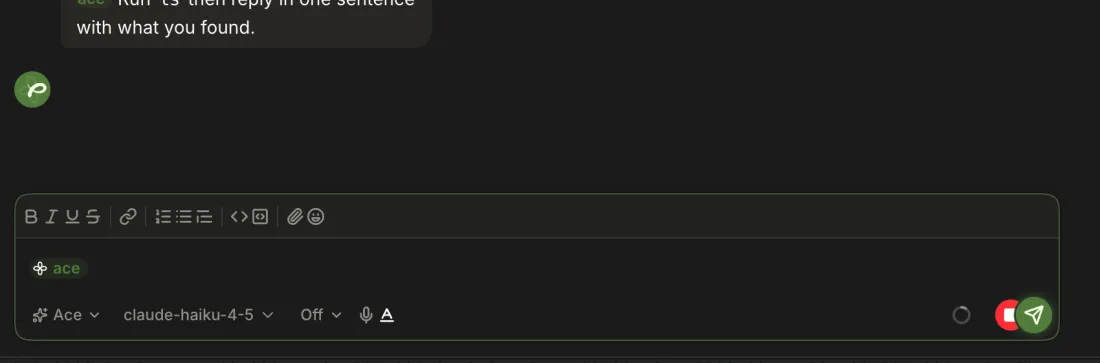
Composer → red Stop response (peeks from behind Send)
The reply ends with
Stopped.and the chat stays usable.6 Stop sits mostly behind Send and only slides out on hover or focus (by design); on touch there is no hover, so only a sliver shows.
-
Toast
Stopped before your queued message ran — It's back in the composer.; the text returns with itsacechip, and the reply notesReturned 1 queued message to iamnbutler as a draft.7 The
Returned … as a draftline was gone after a reload; onlyStopped.remained.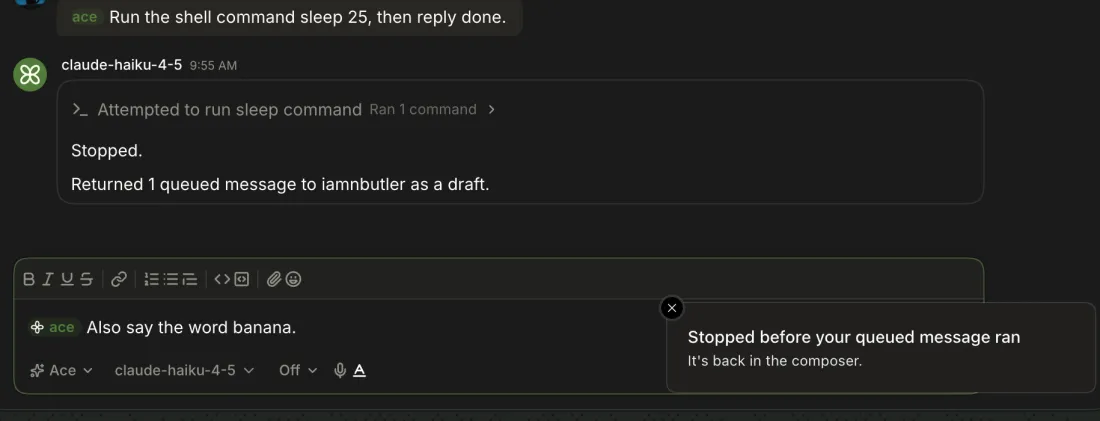
-
Empty composer → ↑
↑ walks back through every sent message (third, second, first note) and ↓ walks forward to an empty composer.
-
draft survives reload?and its Ace chip were back after reloading; drafts are per channel in this browser. -
The picked model is stored per chat (
ace:pick:/channels/<id>/1) and survived reload.
An agent's question tool shows a card above the composer; the run waits for the answer.
-
Ask @ace to use its question tool.
Ace needs your input — Requested by the agent, numbered questions with options and descriptions,Write a custom answer, Submit answers. -
The run resumes; haiku replied
Kiwi.after kiwi was picked. -
-
Question card → Skip
The card resolves and the agent is told the question was skipped (it replied
NO ANSWERas asked).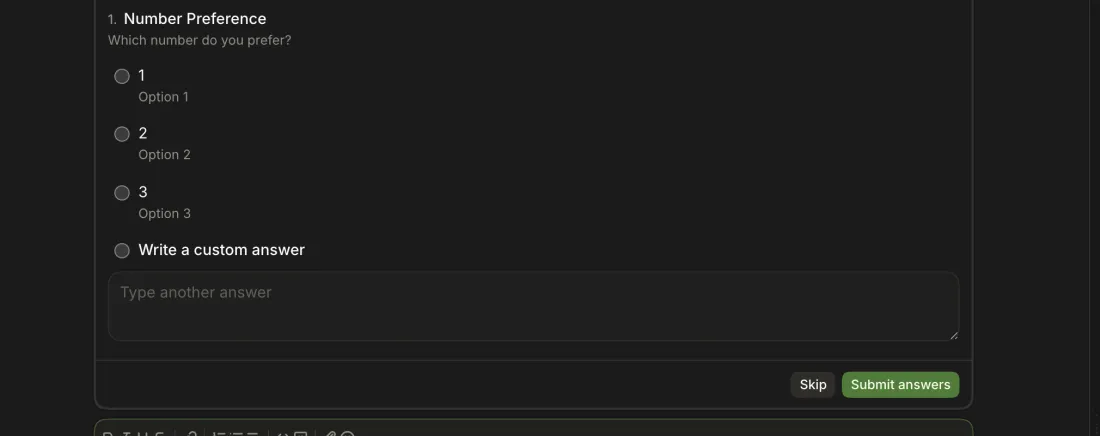
-
ace answer <channel> [--chat <id>] <text…>ace watchandace askprint the question, its options and anace answerhint;ace answer cli-one --chat 15 "Kiwi, obviously"resumed the run, which repliedKiwi. A second answer saysNo question is waiting.
Only your own stored messages, from the hover toolbar's More menu (Edit, Delete).
-
Your message → More → Edit
Change the text in the composer, which shows ✓ and ×, and press Enter.
The message's text changes for everyone.
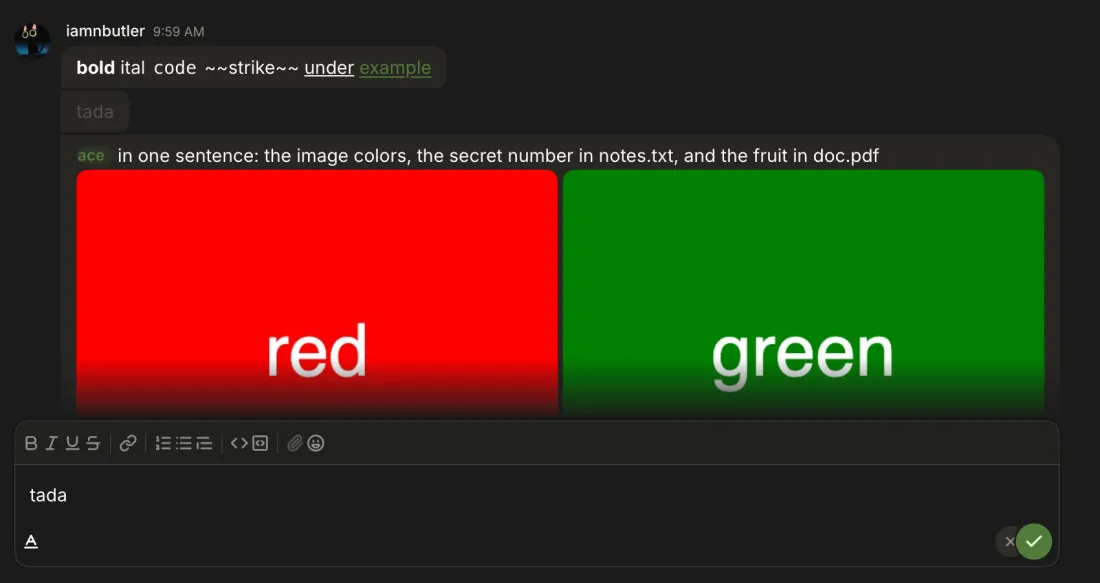
-
Esc or ×.
-
Only on hover: the byline gains the edit time (
Oct 22, 2026, 10:08 AM). Without hover,editedshows only when the edited message is the last in its group.8 An edited message in the middle of a group looked unedited until hovered, and the hover shows a bare time with no
editedlabel.
-
Your message → More → Delete
Delete message?— Everyone sees it was deleted; agents won't read it again. Delete message leavesMessage deleted.9 Re-check, Canary 0.0.54.93:
Message deletedappeared at once on both Macs. Its hover toolbar still offers an enabled More whose only item, Delete, is disabled.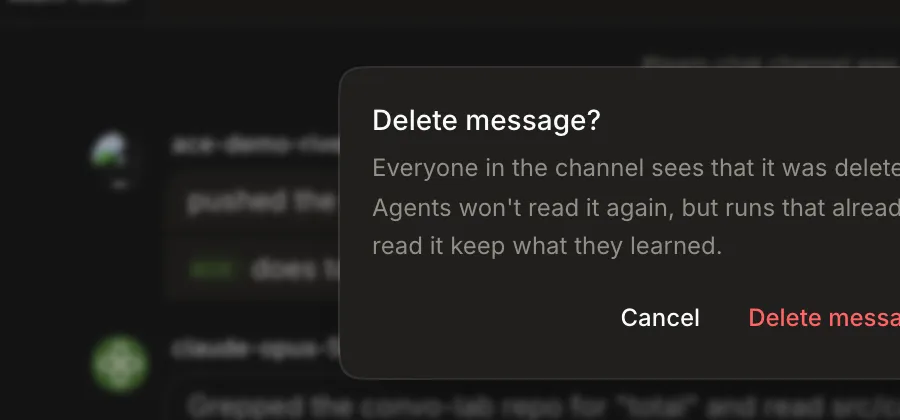
-
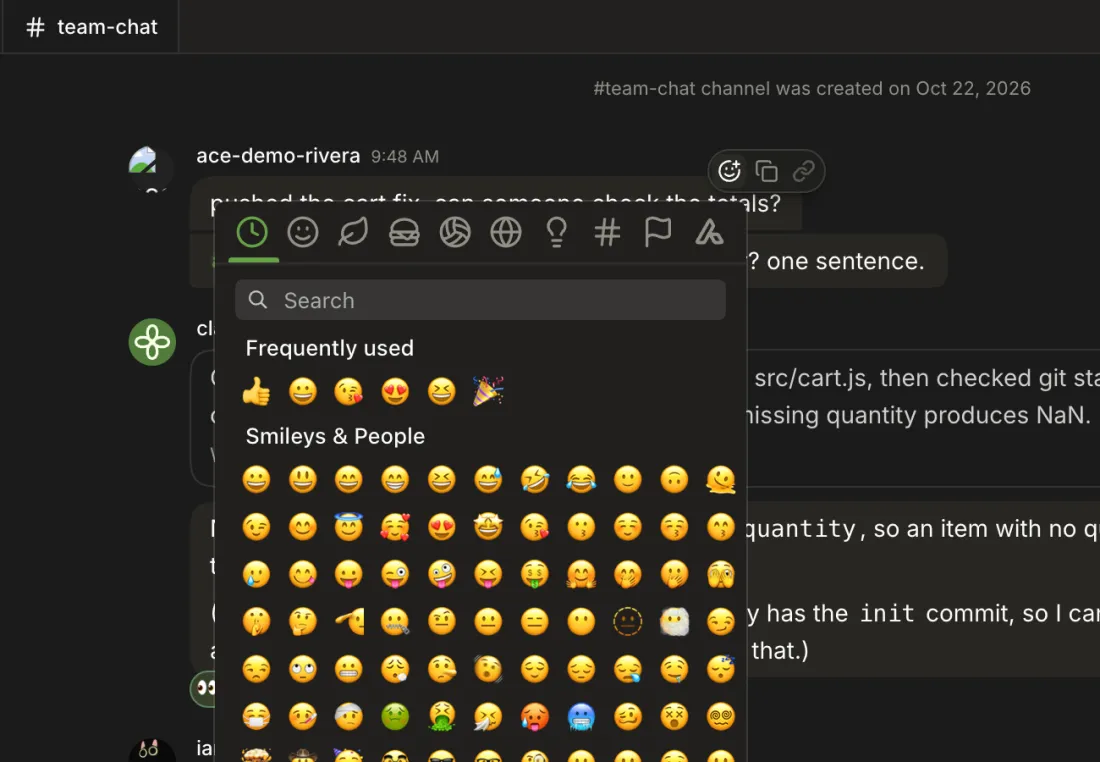
Message → Add reaction
An emoji picker; the pick shows as a chip under the message.
10 Pills show no count, and the emoji picker's search text is unreadable on its black field (githubnext/ace#619).
-
Click a chip, such as rivera's 👀.
👀 2; the tooltip saysYou and ace-demo-rivera. Click again to remove yours.
-
The clipboard holds the message text, and a
Copied messagetoast confirms it. -
The button is always disabled.
Only runs you invoked that ended, failed or ask a question while you weren't watching that channel.
-
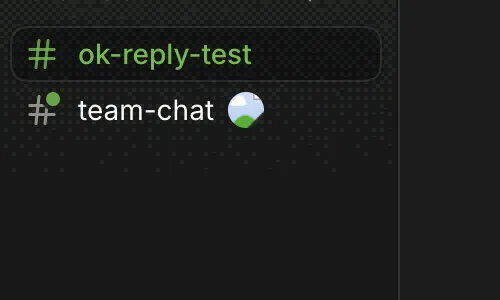
A run ended in team-chat while ok-reply-test was open: a green dot on team-chat's icon until opened.
-
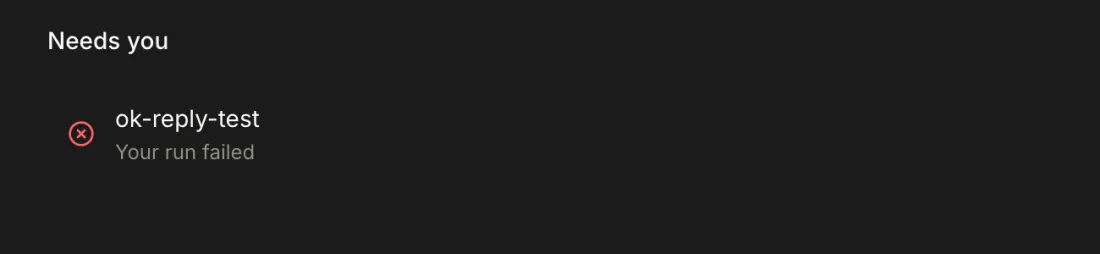
The agent is waiting for your answerfor a pending question,Your run failedfor a failure (the sidebar shows a hand icon). A run that just finished isn't listed.11 Not shown when nothing needs you; the 2026-10-22 study had only a finished run, and testers looked for a Needs you heading.
-
Only in the desktop app, when no Ace window is focused.
The app shows one chat per channel; other chats exist only for the CLI and agents.
-
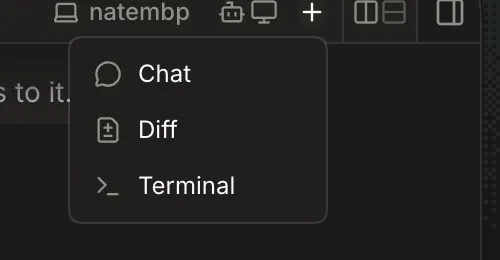
Channel header → New tab → Chat
Focuses the channel's one Chat tab; there's no way to start or pick another chat.
-
ace chat ok-reply-testmade chat 38 andace say/ask --chat 38worked, but the app showed none of it; subagents' child chats are invisible the same way.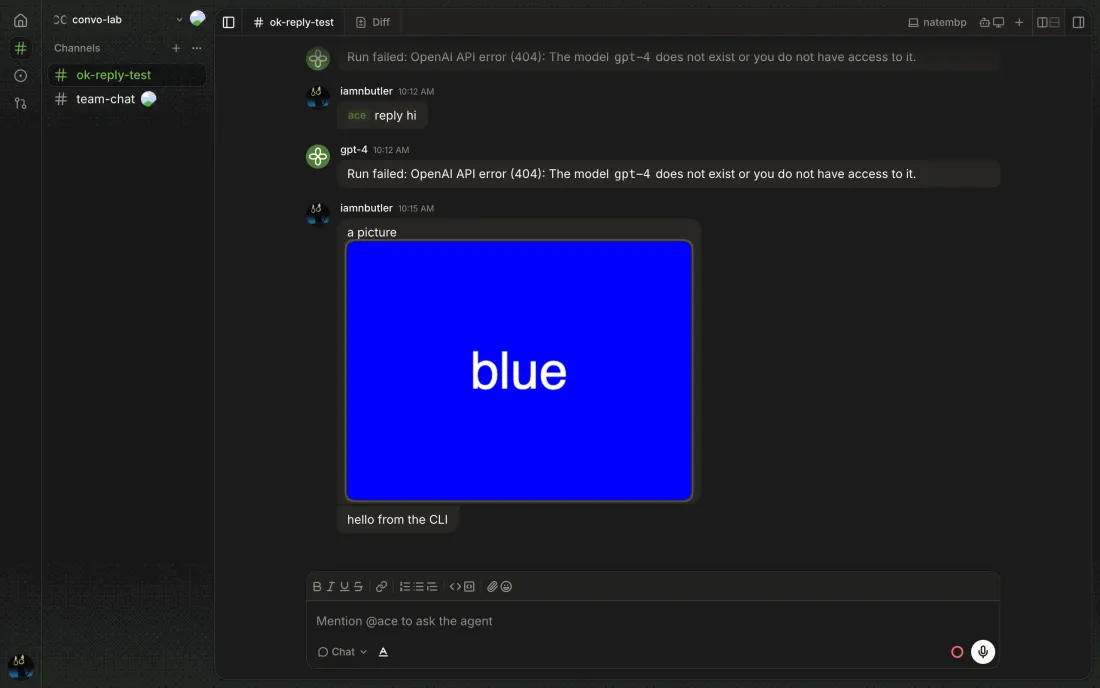
-
Scrolled to the top, there is no Jump to latest button; the timeline re-pins to the bottom only once you scroll there.
-
A
Newdivider sits above the first unread message, and a message that mentions you gets an accent tint and bar.12 Re-check, Canary 0.0.54.93: the divider and mention tint worked within one browser session, but unread state lives in the browser: after a fresh sign-in only mention counts remained, with no divider (githubnext/ace#677).
13 Messages grouped under one header still show only the last one's time (rest of githubnext/ace#602).
Agent access decides whether teammates may invoke the channel's agent; it never limits the owner.
-
In team-chat (agent access on) rivera's
@ace does total() handle…ran and answered, and rivera reacted 👀.14 The chat's cost isn't split by who asked.
15 Re-check, Canary 0.0.54.93: the byline worked on both Macs (
asked by samechocolixir · ran on your natembp with your key;asked by you · ran on iamnbutler's natembp with their key), but in the owner's browser nothing outside the channel said a teammate had used the agent (the desktop notification wasn't observable), and a teammate's channel showed the owner'sCannot access ANTHROPIC_API_KEY in the keychain…without saying it was on the owner's Mac. -
The composer is Chat only, with
Message the channeland no @ace; a typed@aceis plain text. The channel refuses an ask withOnly the owner can invoke agents here.16 The composer was Chat only with no @ace, but
@ace what branch is this repo on?typed by hand posted as a greenacechip and was ignored, with no notice to either side.17 Pair study, Canary 0.0.53.88: a typed
@aceis now refused withAgent access is off… Remove @ace to send this as a message.and the text kept;ace askrefuses withOnly the owner can invoke agents here, naming neither agent access nor the owner. -
ace agents ok-reply-test off, thenace askstill ran (owner ok).
-
ace say <channel> [--chat <id>] <text…>The message appears in the app right away.
-
ace ask <channel> [--chat <id>] [--model <provider/id>] [--detach] <text…>Streams the reply;
--detachreturns at once.--modelchanges the chat's model for later runs too. An unknown model printsUnknown model …and exits 1.18 A failed run prints
(run ended)and exits 0, so a script can't tell it failed. -
ace watch <channel> [--chat <id>]Replays the transcript, then follows it. Authors show as Tailscale logins (
iamnbutler@gmail.com), not GitHub logins as in the app. -
ace chat <channel> [--model <provider/id>]Prints the new chat's id (
38). -
ace kill <channel>A running
sleep 30ended withStopped.; nothing is deleted. -
ace models·ace model [provider/id|auto]ace modelslists every provider/model;ace modelprintedAutomatic. Setting it wasn't tried on the shared host.