Terminal
Run commands beside a channel.
-
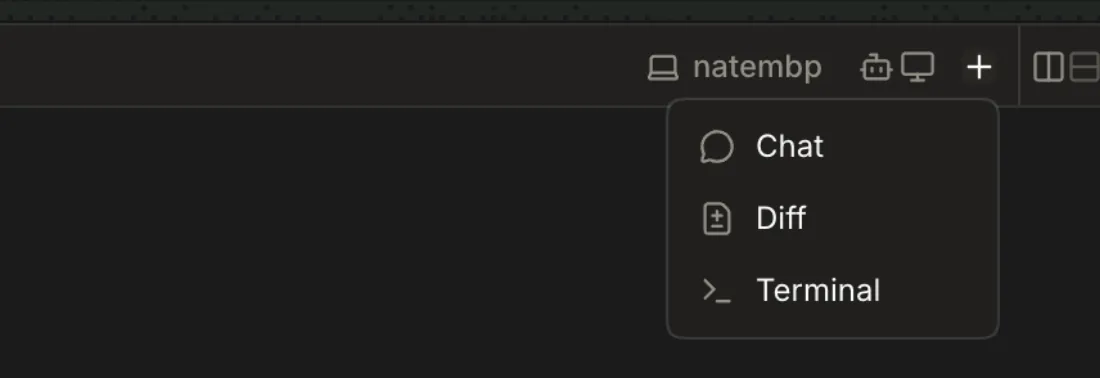
Channel header → + → Terminal
A Terminal tab opens beside the chat and a shell starts in it.
-
Channel header → Split right / Split down → Terminal
Split the pane, then pick Terminal from the blank pane's choices.
-
Type in the tab; it's a login shell (
$SHELL -l) run by the host as its user, with the host's environment.1 The font stack is fixed (
terminal.tsx:150: ui-monospace, SFMono, Menlo…), so Nerd Font prompt glyphs show as boxes; Nate's Ghostty uses LilexNerdFontMono and his prompt renders □ in every shot here.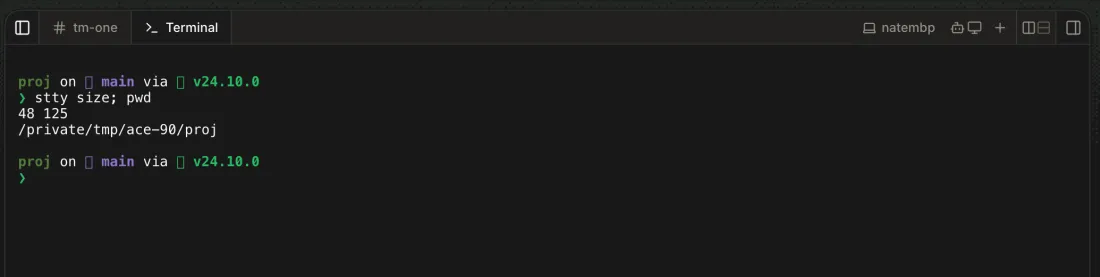
-
The shell starts in the chat's lane worktree when it has one, otherwise in the project checkout.

-
Resize the window or drag a pane edge.
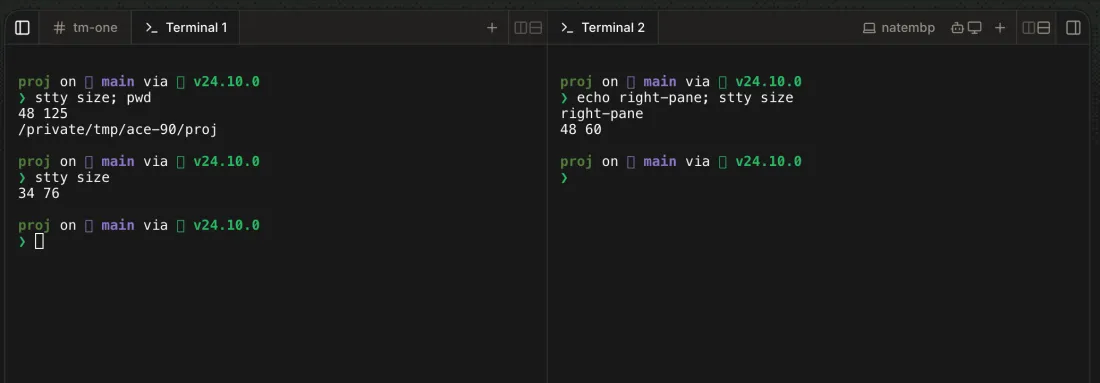
The terminal refits and the shell gets the new size (
stty sizewent from 48×125 to 34×76). -
The screen clears; the command palette doesn't open while the terminal has focus.
-
The running command stops and the prompt returns.
-
Scroll the wheel or press Shift+PageUp.
-
The terminal takes its colors from the app theme, including a live dark → light switch.
-
Phone → channel → + → Terminal
The terminal fills the screen and takes input.
3 Tried in Playwright's mobile emulation at 390×844 with a hardware-style keyboard; a real phone's on-screen keyboard is untested.
4 With three tabs (chat, Diff, Terminal) the Terminal title is cut to
Terminaunder the machine icon.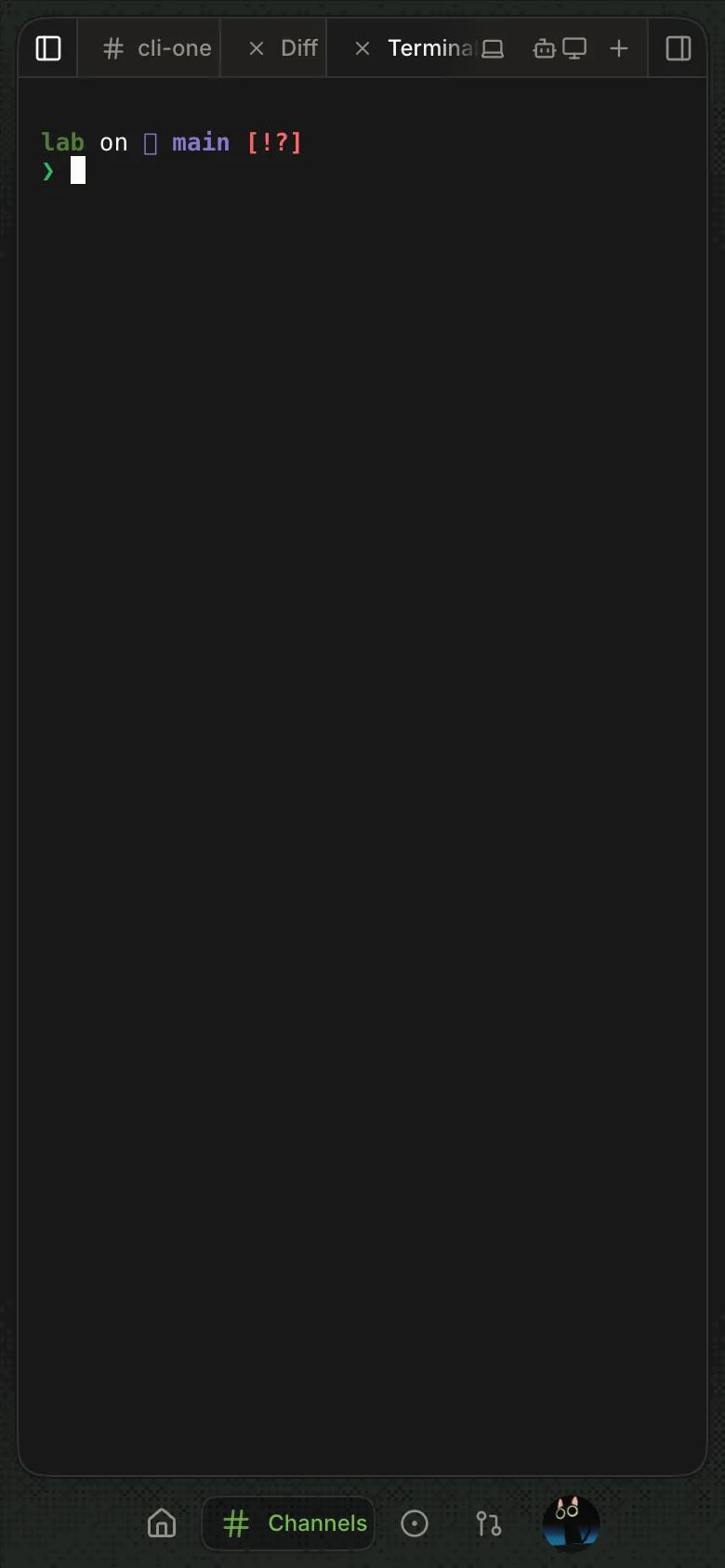
-
Tabs are renamed Terminal 1 and Terminal 2, each with its own shell.
-
Channel header → Split right / Split down
Each pane's shell fits its own width.
-
Cmd+K → "Tab: Terminal"
Other tabs in the window are listed; picking one shows it.
5 The palette lists only tabs not on screen, and ⌘K in a focused terminal clears it instead.

-
ace tabs --port <port>
Each open window's tabs, with type
terminal.
-
The tab comes back and reattaches to the same shell, replaying up to 256 KB of earlier output. Restored tabs start or reattach only when shown.
6 Tabs are saved in each browser's localStorage (
ace:channel-layout:<id>), so a terminal opened in one browser or device isn't listed in another, although its shell keeps running on the host. -
A
Disconnected from your host. Reconnecting…banner and a Disconnected chip; when the host comes back the tab attaches again. If the host lost the shell, the tab saysThe host no longer had this terminal's shell, so this is a new one. The previous shell's command and output are gone.
-

-
Click the tab's ×, or focus it and press Backspace.
The host hangs up the shell's process group, so commands it started stop too.
-
A terminal no client has attached for 30 minutes is closed with its processes. A
sleepleft in a detached tab was gone between minutes 29 and 30. -
All terminals close, waiting up to 10 s for shells to exit. A
sleepleft running was gone within 2 s.
-
Only the host owner gets terminals. A teammate's channel fails with "Terminals open on the channel's host"; a cloud workspace channel with "A cloud compute channel's shell is in its container, not on this host".
8 Re-check, Canary 0.0.54.93: a teammate's channel's New tab menu offers only Chat and Diff, with nothing saying why; no old Terminal tab was left to check its message.