Changes and review
See what agents changed: diffs, lanes, commits, pull requests and checks.
- ^681The Diff tab opens itself on the first change
- ^682Open a Diff tab from the tab bar
- ^683Open the Diff from the details sidebar
- ^684Read the header and the changed files12
- ^685Collapse or expand files
- ^686Switch between unified and split diffs
- ^687Show the file tree and jump to a file
- ^688See binary files and large untracked folders3
- ^689See a chat with no changes
-
Channel → tab bar
A Diff tab opens behind the chat tab once the chat's work changes files. Closing it keeps it closed until the work is clean again.

-
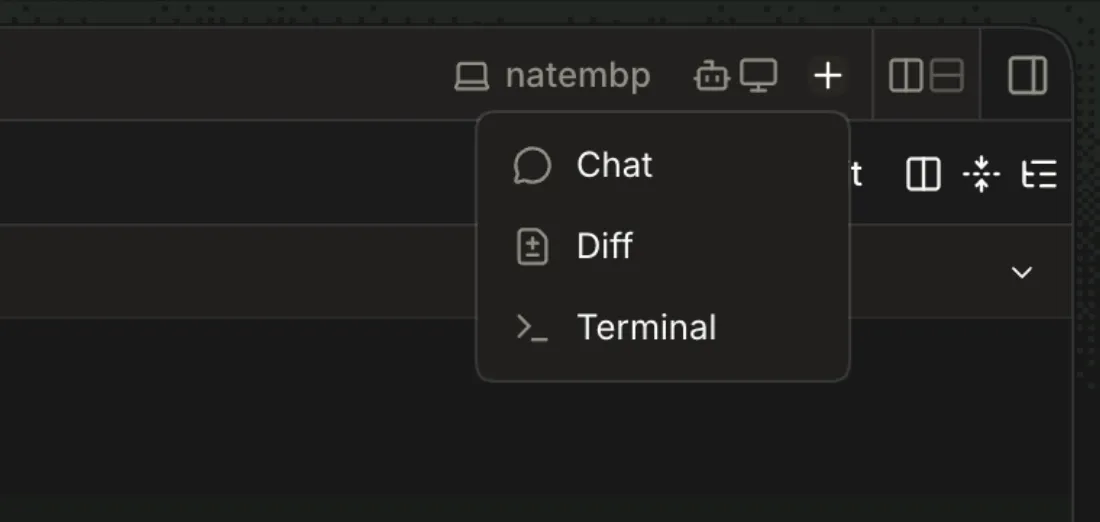
Channel → + (New tab) → Diff
A Diff tab for the chat's lane opens in the pane.
-
Details sidebar → Committed / Uncommitted / Untracked row
The chat's Diff tab comes forward, or opens beside the chat if none is open.
-
Diff tab
The header names the lane and its base ref (
wave → origin/main), then totals for Committed, Uncommitted and Untracked work. Below it, every changed file's patch; a file in two groups names the group (README.md Committed,README.md Uncommitted).1 It refreshes every 2 s, but only while the tab is visible and the window is focused (apps/app/src/panels/diff.tsx:95).
2 With the details sidebar open at 1280px, the header's totals run under the toolbar: the lane name scrolls away and Untracked's
+1 -0overlaps Rebase.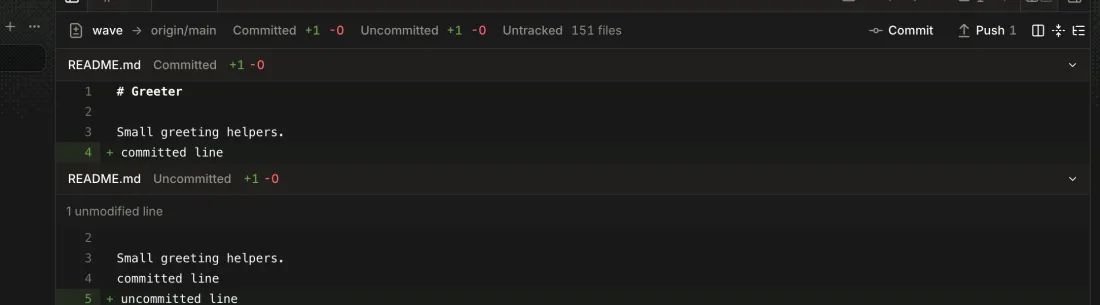
-
Diff → file header chevron, or toolbar → Collapse all diffs / Expand all diffs

-
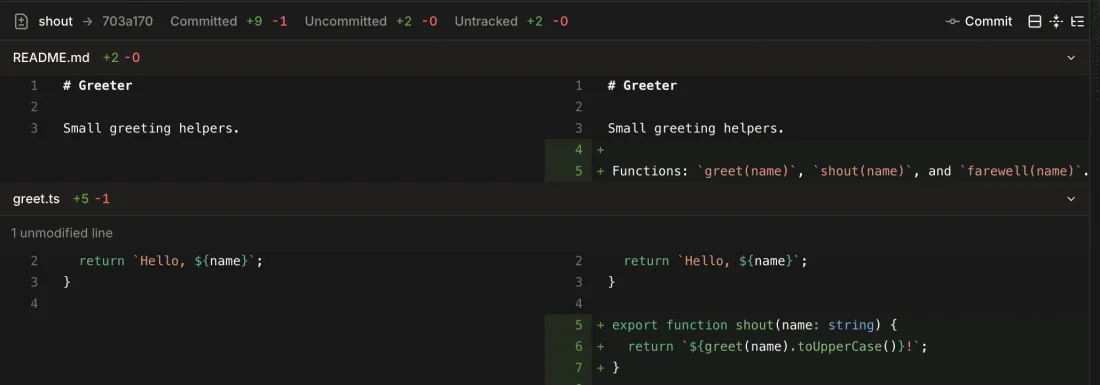
Diff → toolbar → Switch to split diff
-
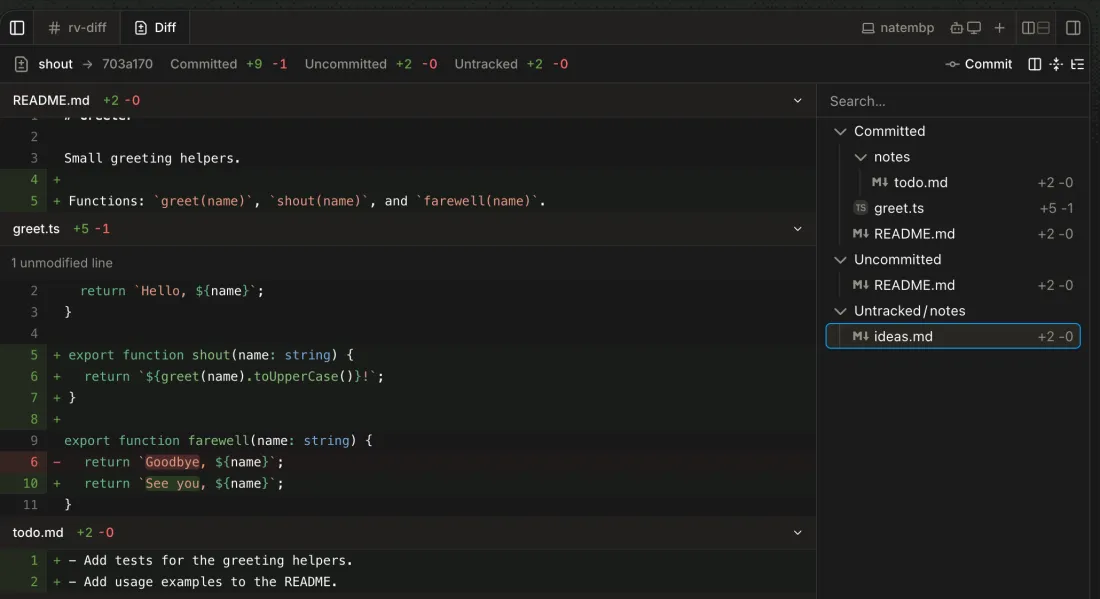
Diff → toolbar → Show file tree
Click a file in the tree, or filter it with Search.
The tree groups files by Committed, Uncommitted and Untracked. Clicking a file scrolls to its patch.
-
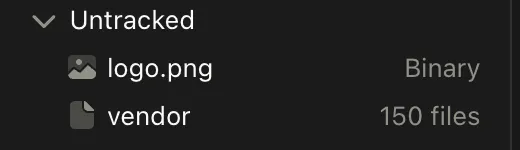
Diff tab
A binary file shows as
Binary, with no patch. A wholly untracked folder of more than 100 files, such as an unignorednode_modules, shows as one row with its file count.3 The Binary and folder rows are inert: no preview or file list.
-
-
Channel → tab bar → Toggle details sidebar (right edge)
-
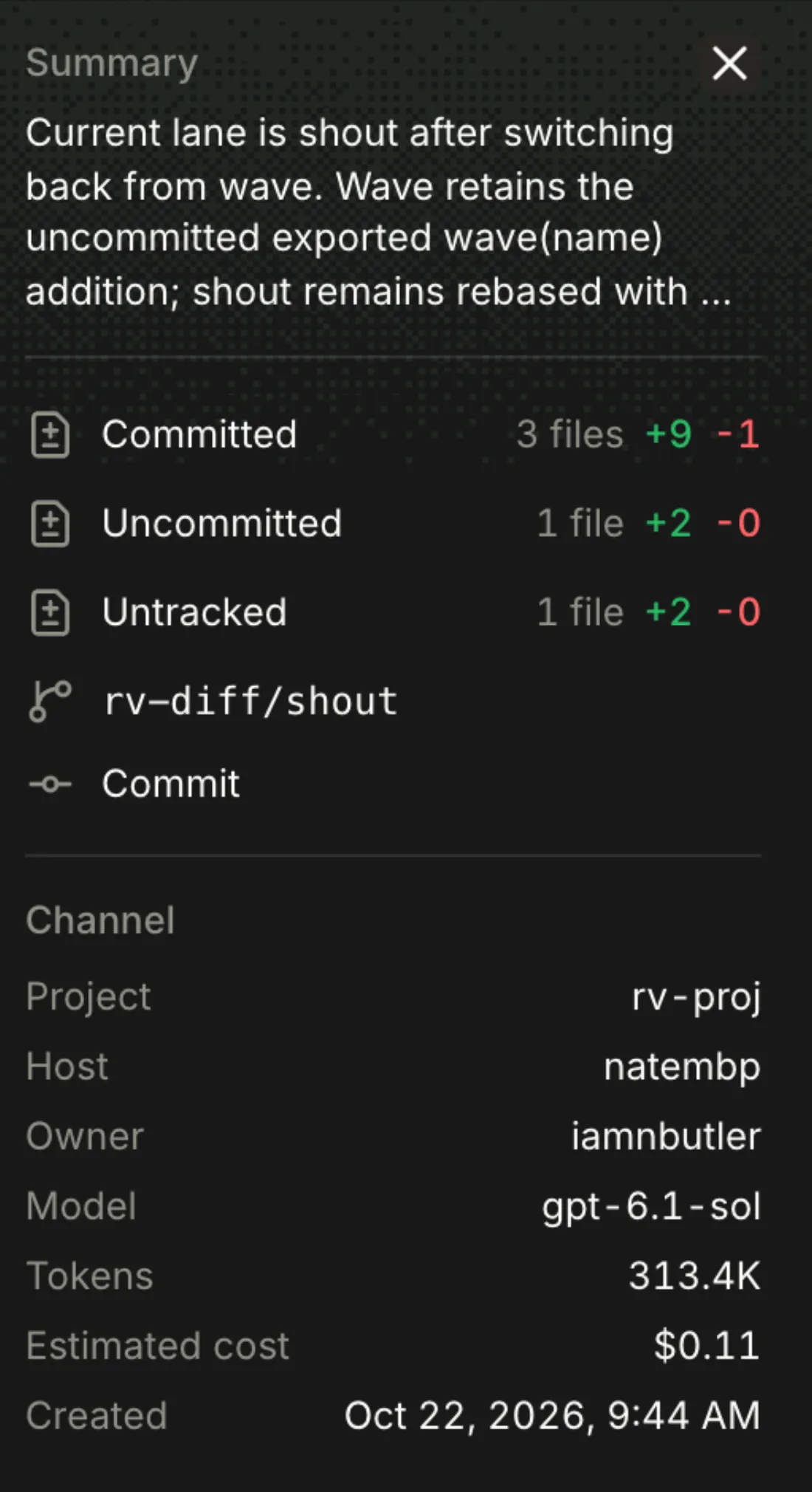
Details sidebar
The agent's summary, totals per group (each opens the Diff), the lane's branch, its pull request or Create PR, and git actions the agent can take now.
4 The summary is cut at four lines with no way to expand.
-
Details sidebar → Channel
Project, host, owner, model, tokens, estimated cost and when it was created.
-
Details sidebar → Subagents, Links
Subagents the agent started, by their (truncated) prompt and state, and links people and agents wrote. GitHub links show as
owner/repo#N.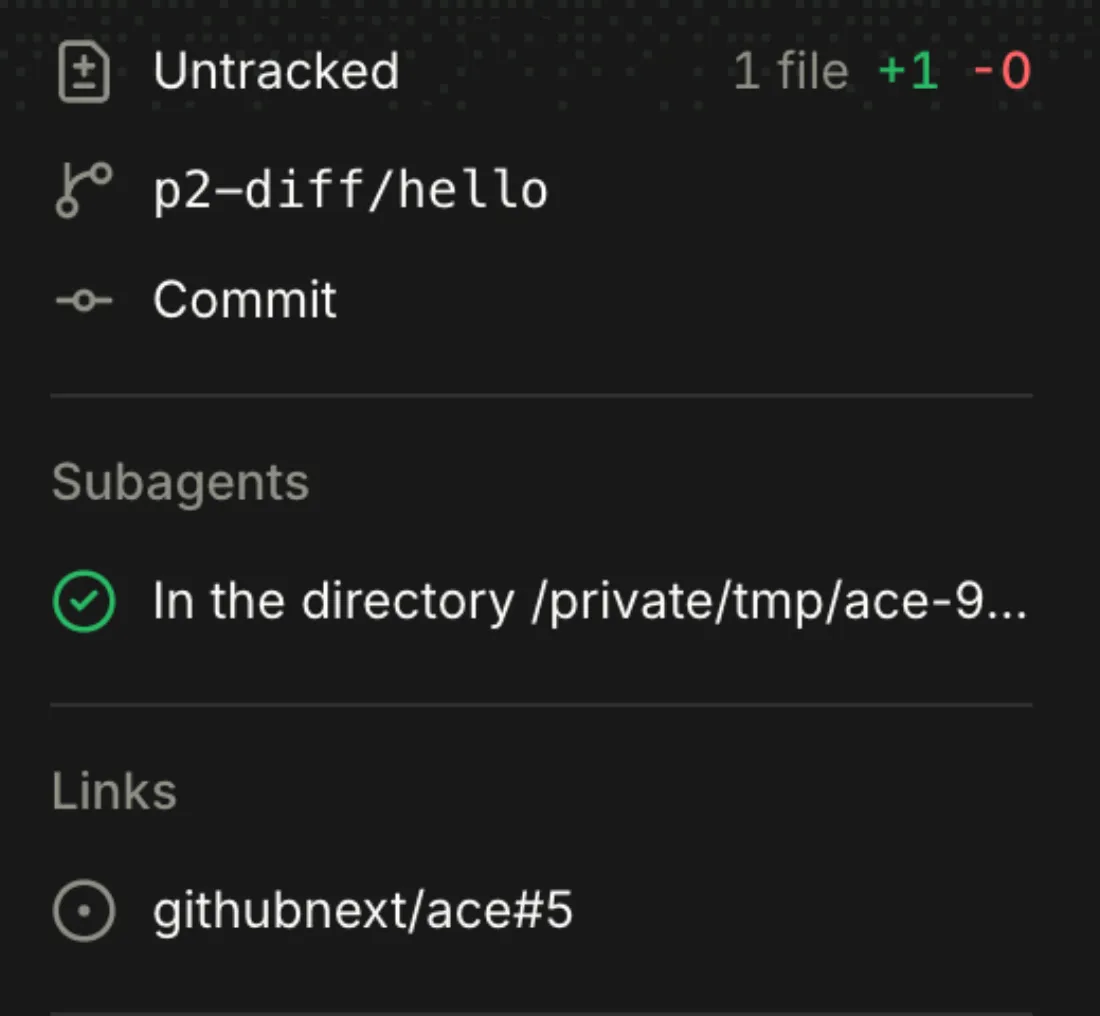
Lanes are Git worktrees the agent creates with the lane CLI. People work with them only by asking the agent.
-
Channel → composer
Ask, for example,
Start a lane named wave and ….The agent runs
lane new <channel>/<name>from origin's default branch, fetched first. The Diff then shows that lane.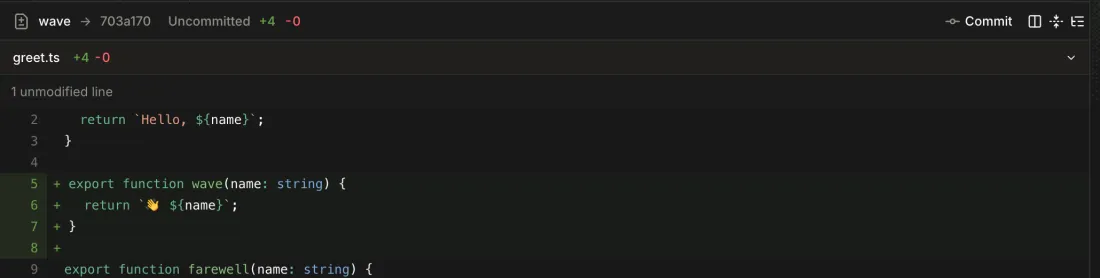
-
Ask, for example,
Switch back to the shout lane.The chat's working directory moves to that lane, and the Diff header and details follow it. The other lane keeps its uncommitted work.
-
The agent's lane tool lists the channel's lane names.
-
There's no lane list or switcher in the app. Only the Diff header shows the current lane.
-
Diff toolbar, or Details sidebar → Commit
Shown while the lane has uncommitted or untracked work, it has no open pull request, and the chat is idle.
The chat's agent is asked to commit the work that belongs, following the repository's conventions, without pushing.
-
The button reads Committing until the run ends. Then the files move to Committed and Commit goes away.

-
There's no staging. The agent decides what belongs in the commit.
-
There's no discard or revert action in the Diff or the details sidebar.
-
Diff toolbar, Details sidebar
Rebase +Nappears, with a tooltip counting the commits on the lane's base since it forked. The Diff fetches the base on open and every minute: a commit pushed from another clone showedRebase +1on reopening the Diff.5 Blocked in the 2026-10-22 study: needs a base on origin that moves ahead, such as a teammate's push.

-
The agent fetches, rebases, resolves conflicts and checks the build, and pushes with
lane pushif the lane has an open PR. The button reads Rebasing until the run ends.
There's no Push action. Work leaves the Mac only through Create PR or Update PR (lane push), so a project whose remote isn't on GitHub can't push from the app.
6 With uncommitted and untracked work in the lane, lane push refused, and the agent ran git add -A and committed everything (a binary and a 150-file folder) as Lane context to push, without asking.
7 Create PR is offered only when the project's origin is on GitHub (channel.repo); a local or other remote shows no PR row at all (apps/app/src/channel.tsx:227).
8 After the PR was closed on GitHub the sidebar kept offering Merge PR for 25 s; a reload showed Create PR.
-
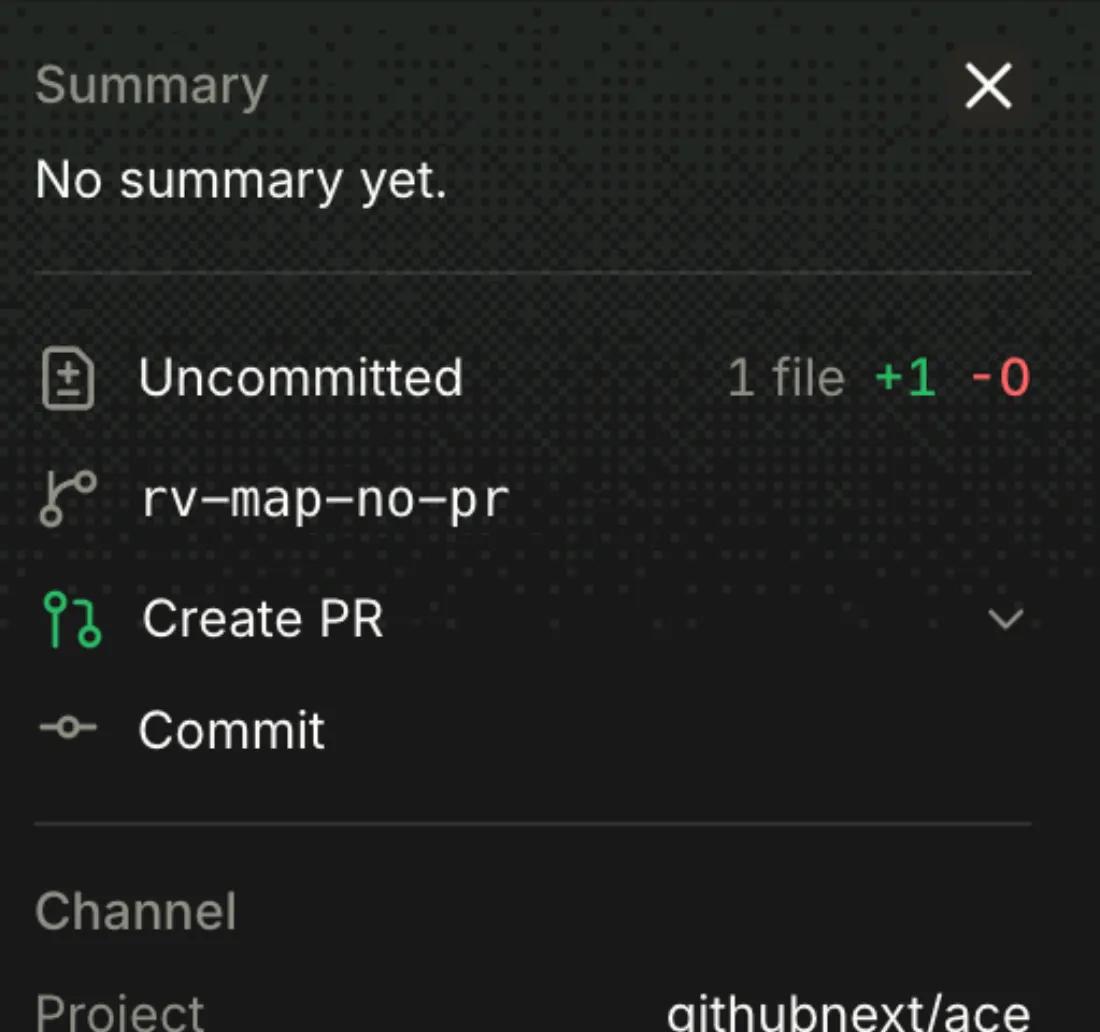
Diff toolbar, or Details sidebar → Create PR
Shown when the project's origin is on GitHub, the branch has no pull request, there are changes, and the chat is idle.
-
The agent commits what belongs, lands it with
lane pushandgh pr create, following the repository's instructions and PR template. The button reads Creating PR until GitHub reports the PR.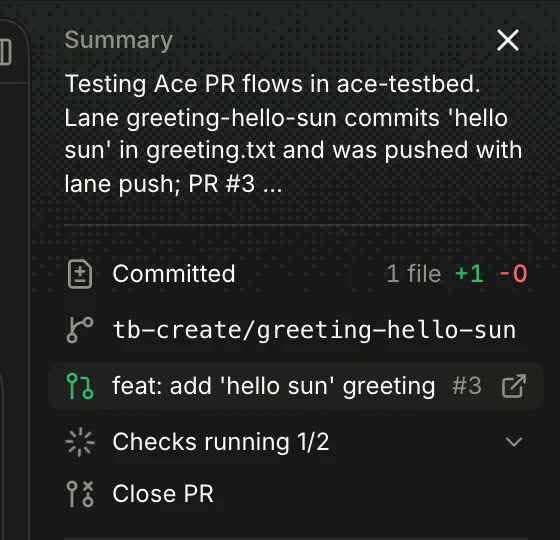
-
Create PR → ⌄ → Create draft PR
The same, with
gh pr create --draft.9 The UI kit's menu also has Manually create PR, but the app never passes
onManualCreatePr, so it never shows (apps/app/src/panels/diff.tsx:200).
-
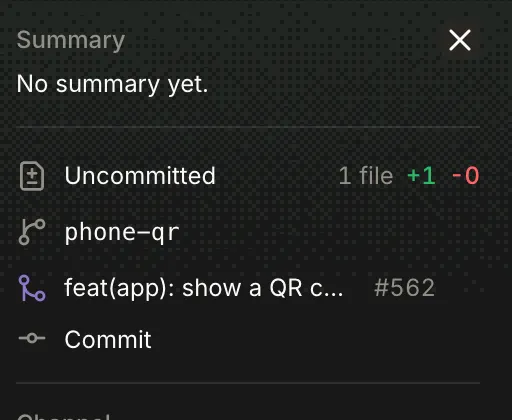
Details sidebar
Its state icon, title and number, linking to GitHub. Ace reads it again every minute and after each run.
-
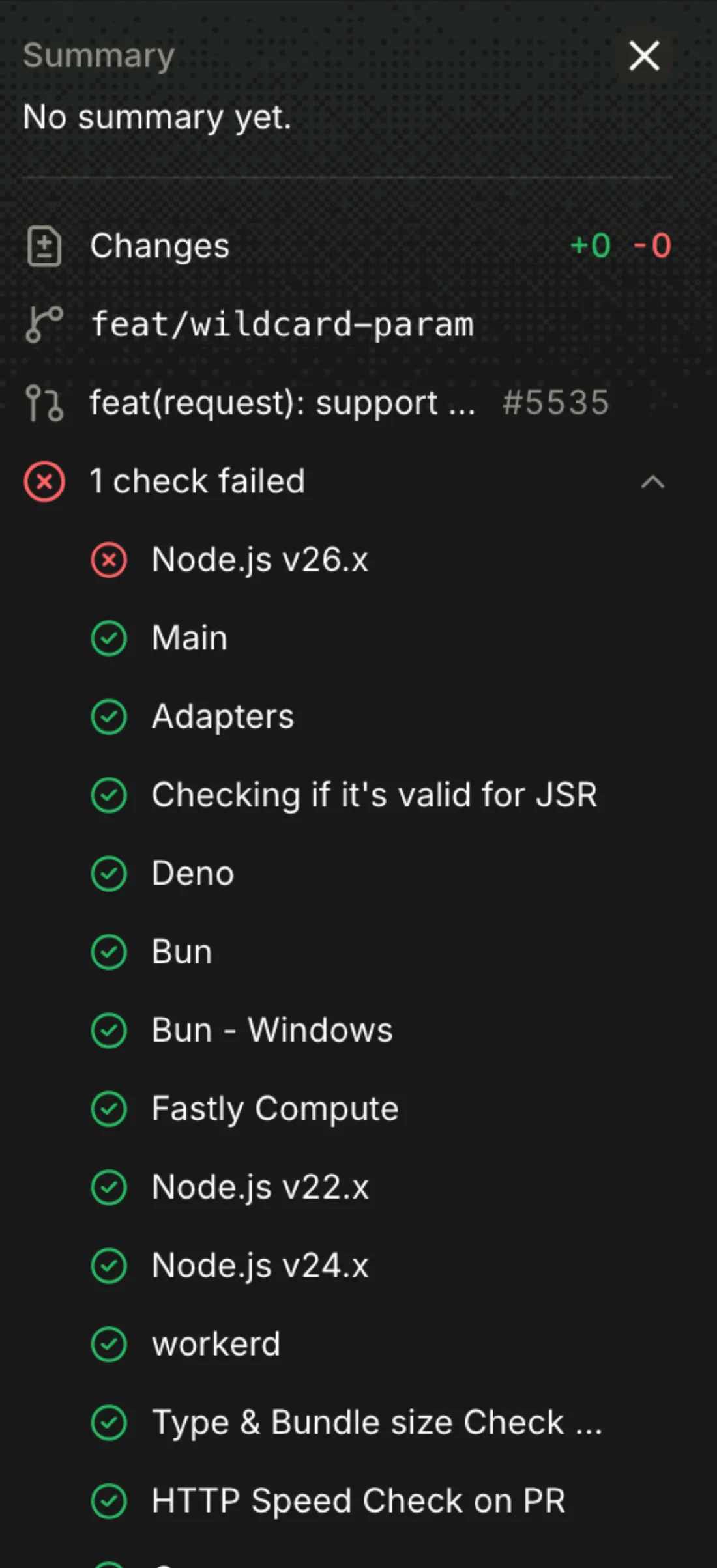
Details sidebar → checks summary
Each check with its state, linking to its run; the list starts expanded when a check failed. Only open and draft PRs show checks.
-
Shown on an open PR when the lane has unpushed commits or uncommitted work.
The agent commits what belongs and pushes with
lane push.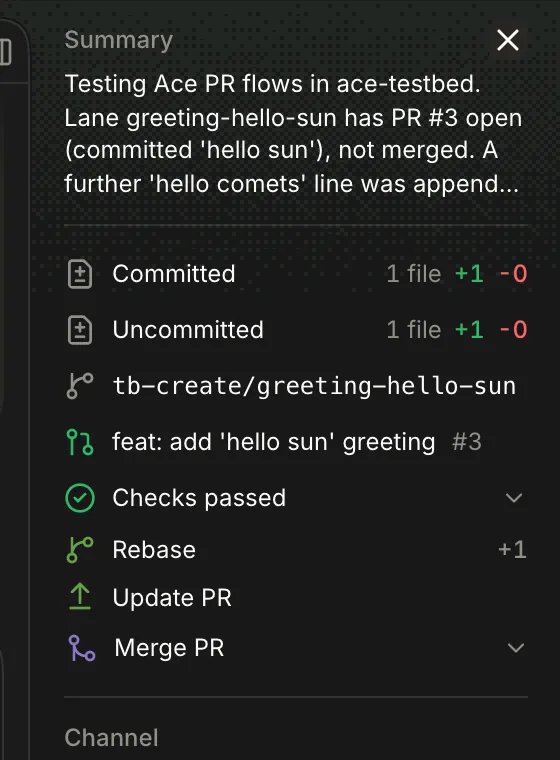
-
Shown only when checks pass, no review blocks it, and nothing is unpushed.
The agent runs
gh pr merge, following the repository's merge instructions, or says why GitHub refused. Offered only with nothing to commit or push: an untracked file swapped it for Update PR and Close PR. -
Close PR, or the ⌄ menu on Merge PR / Ready for review
The agent runs
gh pr close, keeping the branch.
-
Channel → above the composer
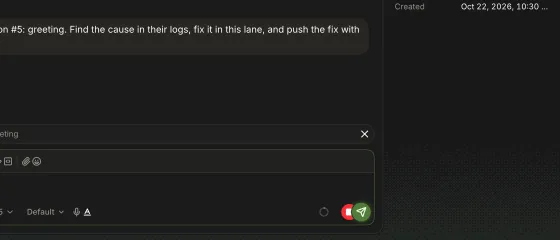
N checks failed on #PR, while the PR is open or draft.
-
The agent finds the cause in the failed checks' logs, fixes it in the lane and pushes.
-
It hides, also after a reload, until a rerun fails again.
-
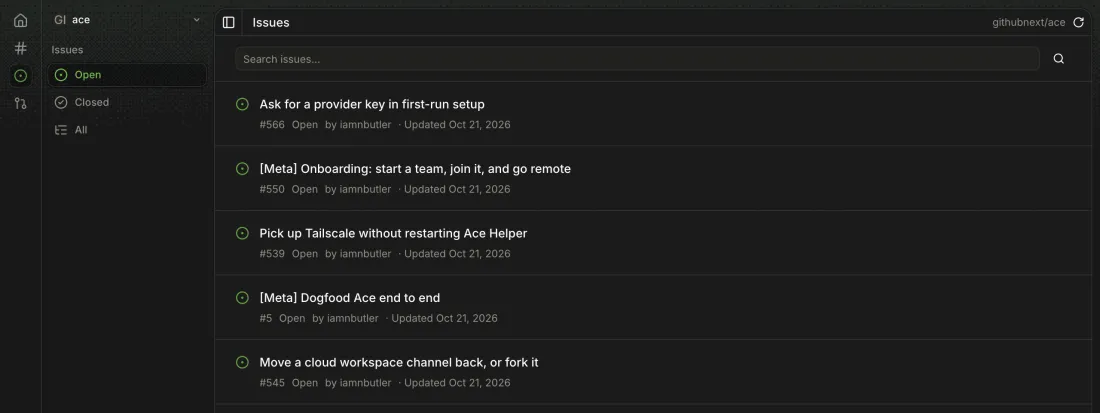
Rail → Issues
The current project's GitHub issues, open first, with number, state, author and last update.
-
Issues sidebar
-
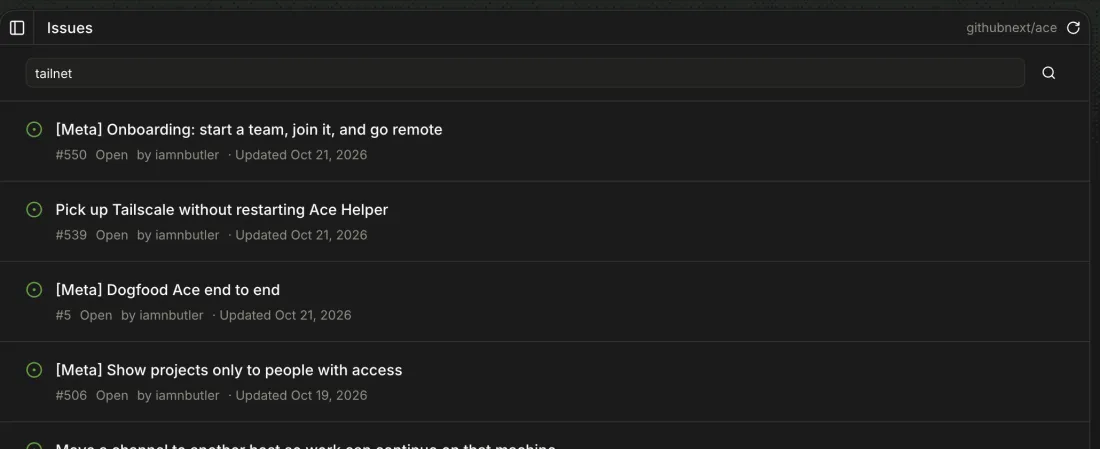
Issues → Search issues…
Type and press Enter or the search button.
GitHub's search results for that state. Typing alone doesn't filter.
-

-
Header → ↻
The list reloads. Lists are cached in the browser and refreshed in the background every 3 hours, or when the window regains focus.
12 The first Refresh missed an issue created seconds before, and nothing shows when the list was loaded.

-
Issue row → title, or hover → Open on GitHub
GitHub opens in a new tab. Issues can't be read inside Ace.

-
Issue row → hover → Open in a channel
A new channel starts with the agent asked to read the issue, make the change and open or update a pull request.
-
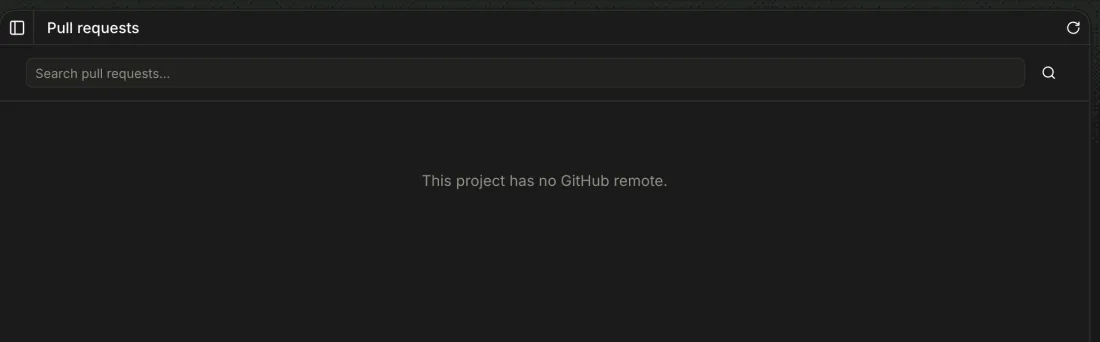
This project has no GitHub remote.13 Switching to a project without a remote drops you on Channels with no message.
-
Issues or PRs → Try again
The list is replaced by a sentence (
GitHub didn't find <owner/name> for this host's GitHub account. Check that the project's origin names the right repository…); Try again loads it again.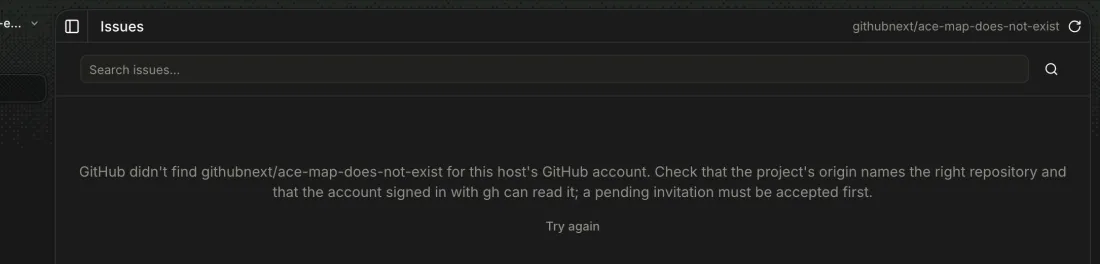
Same list, filters, search, refresh and paging as Issues (^726).
-
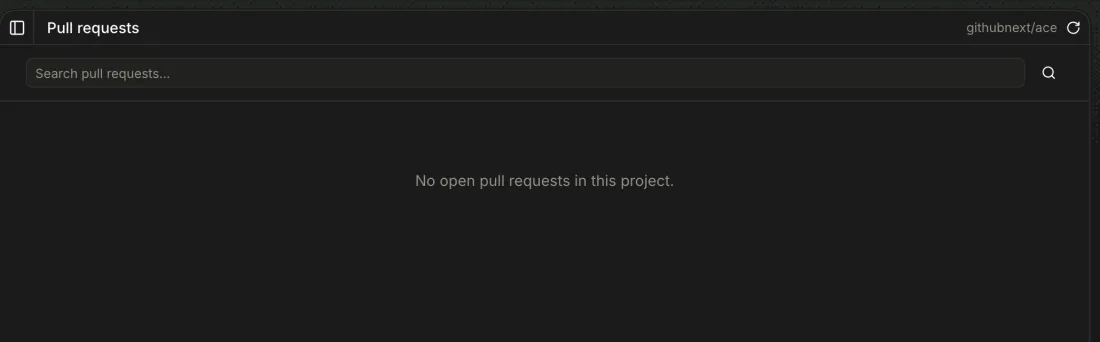
Rail → PRs
Open PRs first;
No open pull requests in this project.when there are none. Closed includes merged.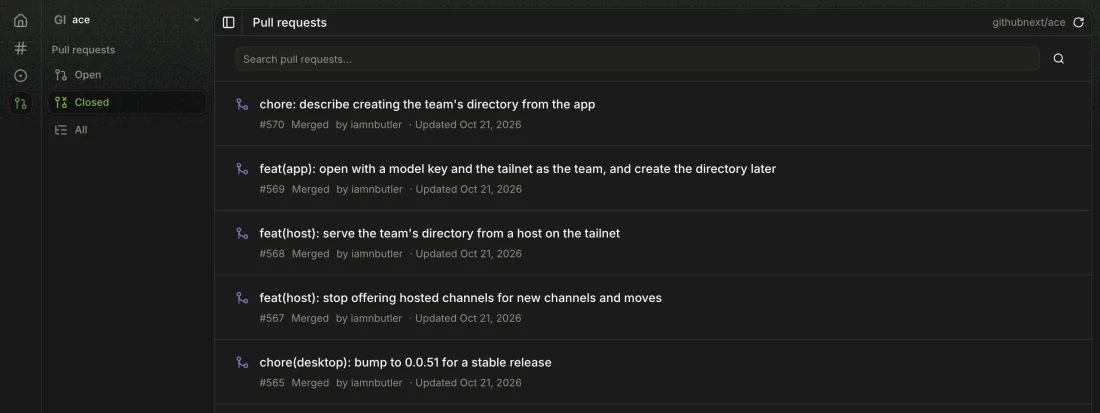
Ace uses the GitHub CLI's sign-in. There's no GitHub sign-in in the app.
-
Run
gh auth login, or setGH_TOKENorGITHUB_TOKEN.Issues, PRs and a branch's PR load with that account. The host passes the token to
gh.