Team
Everyone on the tailnet who runs Ace is on the team. A directory, created later, keeps offline hosts' channels listed and holds project shares.
1 Pair study 2026-10-22 (two Macs on Canary 0.0.51.85): people, presence and teammates' channels worked across Macs; a peer's stale GitHub login and offline channels fell short.
-
Settings → Team → People; first run's team step
Each person with their host and whether it's online; this host says This Mac.
2 Mac A kept naming nate16-1 by its owner's previous GitHub login, in People, message authors and the share list, until A's Ace Helper restarted:
namedin peers.ts keeps a hello sent beforeghresolved and stops re-greeting once a directory is chosen.3 Pair study, Canary 0.0.53.88: no stale login after githubnext/ace#611, but People said Sam
Onlinewhile the sidebar saidsamechocolixir · Offline, and with no directory and Sam's helper stopped Sam vanished from People instead of showing Offline.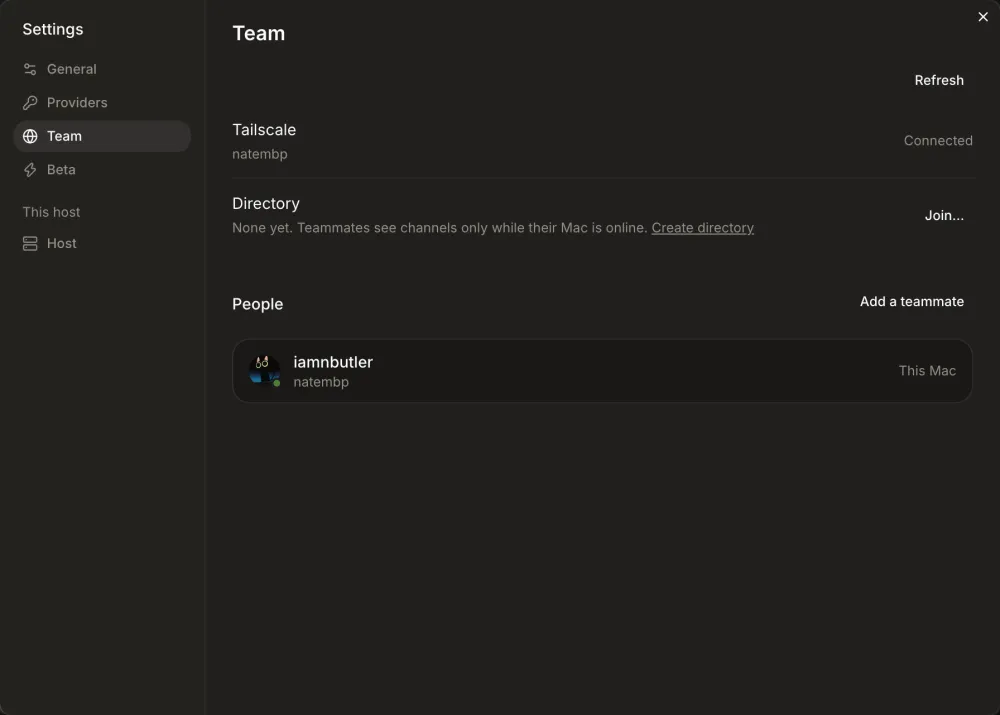
-
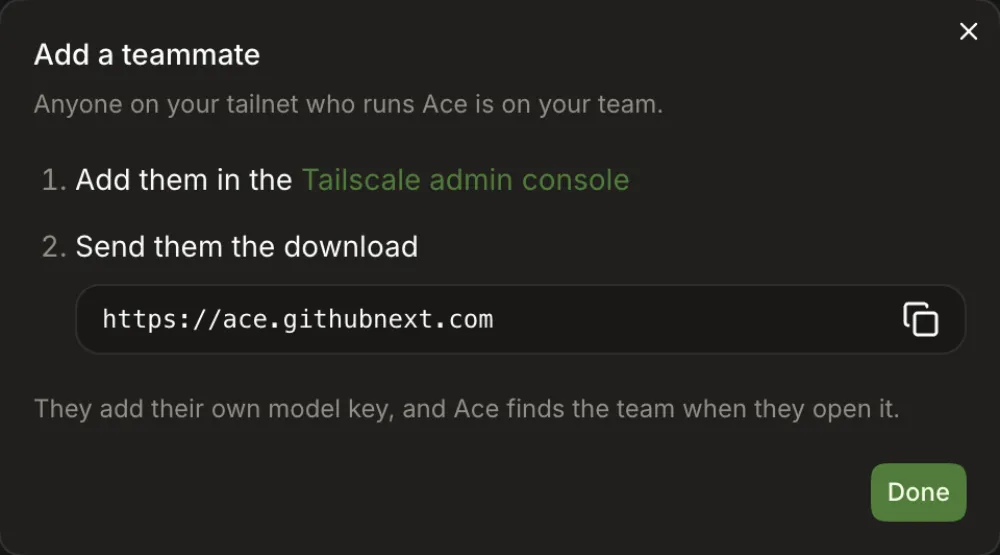
Settings → Team → Add a teammate
Steps to share the tailnet in the Tailscale admin console and have them install Ace. Nothing to send from Ace.
-
Hosts exchange hellos and listings over the tailnet, so a teammate's channels show without a directory.
4 Pair study, Canary 0.0.53.88: a teammate's shared folder project vanished from the picker without a word each time this Mac left the directory or it stopped, and a teammate's channel in a repository you also have is listed inside your own project.
-
<host> is offline, with Create directory when the team has none.5 Shows
nate16-1 is offline — b-chan runs on that Mac.with none of the history already read; Send is disabled with no reason and nothing queued; the project picker has no offline mark.6 Pair study, Canary 0.0.53.88: while Sam was online but the share was gone (directory stopped), b-sandbox read
samechocolixir · Offline/Offline: nate16-1 is unreachable, so lost access looks like the host being offline.
Served by a host on the tailnet: no account and no secret. Hosts that have never chosen a directory join it from that host's hello.
7 Pair study 2026-10-22: creating it on This Mac took two clicks; the teammate already on another directory had to paste the URL by hand.
-
Channels sidebar → Team directory → Create directory
Shown until the team has a directory; × dismisses it on this device.
8 Re-check, Canary 0.0.54.93: after leaving, the card read
nate16-1 serves your team's directory. This Mac isn't in it…with Join and Change…, but it stayed after rejoining through Ask to join until a reload.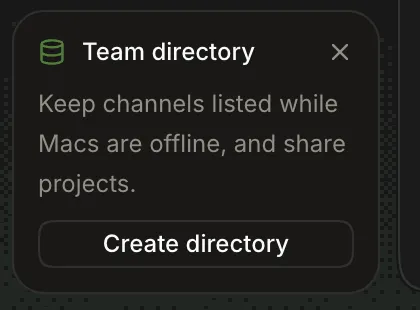
-
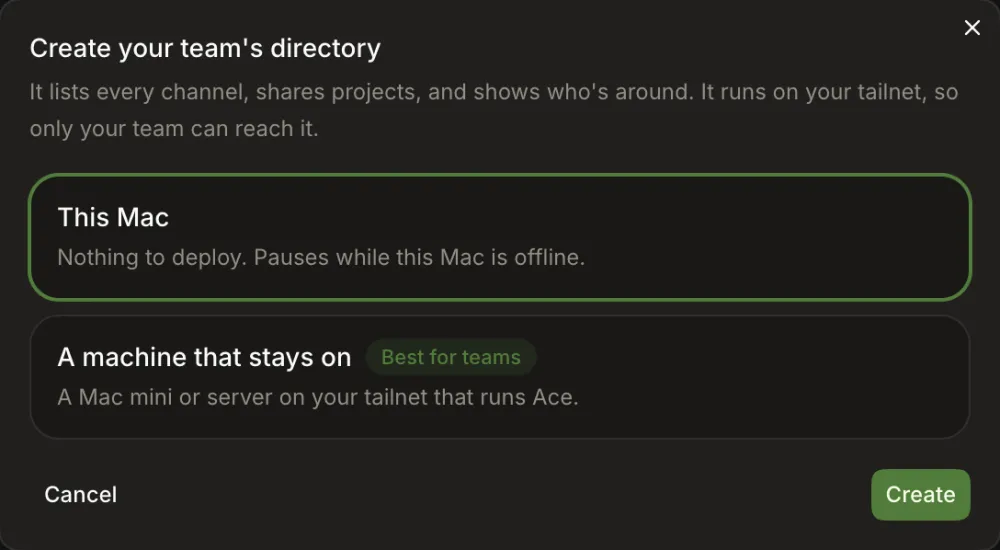
This Mac, or a machine that stays on (install Ace there and create it from that machine).
-
The host serves
/directoryon its tailnet address and joins it.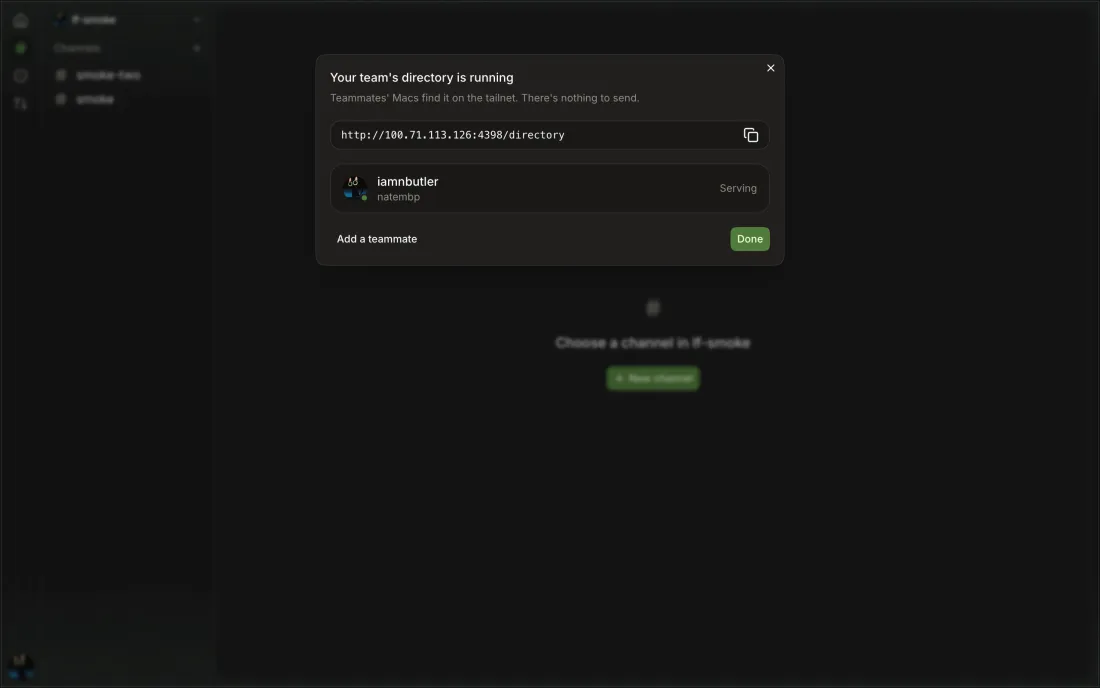
-
A host that has never chosen or left a directory adopts the one named in a peer's hello.
9 Pair study: the teammate's Mac was already on another, failing directory, so it never adopted this one while the creation dialog said
There's nothing to send.andJoins now. The never-chosen case is still untested.10 Blocked in the 2026-10-22 pair study: no host that has never chosen a directory; both Macs had chosen and left one, and resetting that means editing Ace's stored settings.
11 Pair study, Canary 0.0.53.88: the creation dialog again said
Joins nowfor a Mac that had left the directory; it stayed onNone yetafter Refresh and had to join by hand. -
Settings → Team → Create directory; offline channel panel
12 Pair study 2026-10-22: nothing on the serving Mac shows that a teammate joined.
-
Settings → Team → Directory
None yet, served by this Mac, or the joined URL.
13 Re-check, Canary 0.0.54.93: with the serving Mac's helper stopped it read
Sync failed at 6:58:24 PM: nate16-1, which serves the directory, is offline. Channels stay listed as they were., but says nothing of what to do, a member Mac names the server only in that error, andIn the directorykept old sync times with no down mark.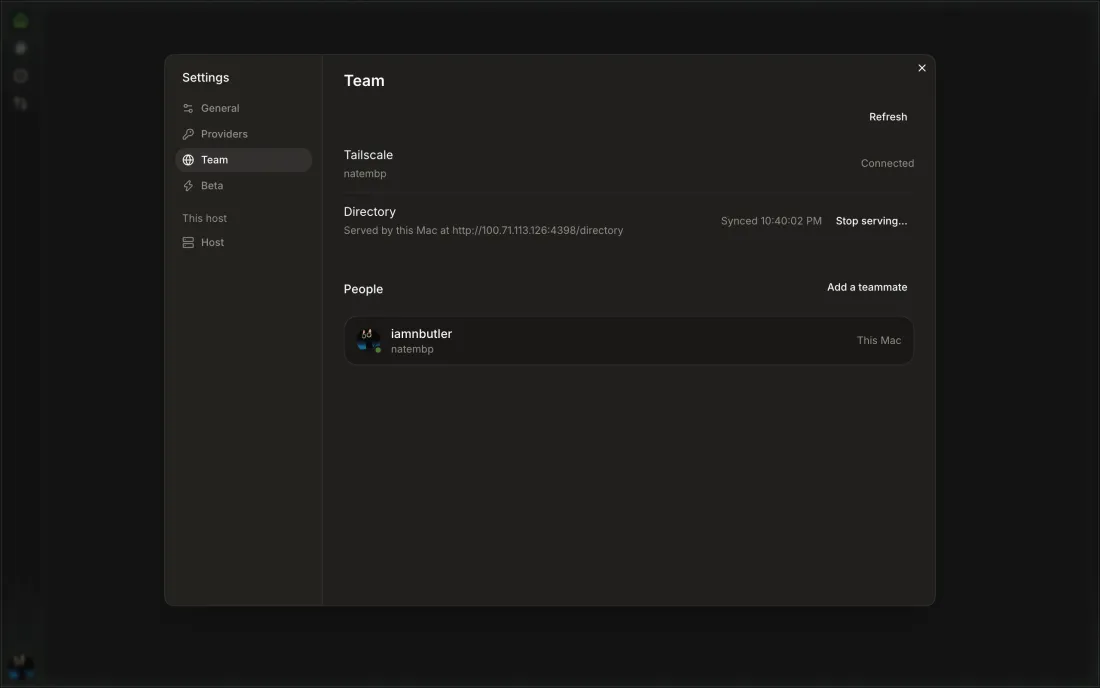
-
Settings → Team → Stop serving…
Confirms first, naming the shares it deletes (
…these shares are deleted, ending the access they give: b-sandbox with iamnbutler@gmail.com.); teammates stop seeing offline hosts' channels.14 Teammates who lose a share when it stops still see the owner's host as Offline (rest of githubnext/ace#631, ^104).
-
Settings → Team → Change… → Leave
Leaving counts as a choice, so this host won't auto-join another.
-
Settings → Team
Settings → Team's
In the directorylists each joined host with its last sync; Team setup on a member Mac saysThis Mac is in your team's directoryand lists them.
-
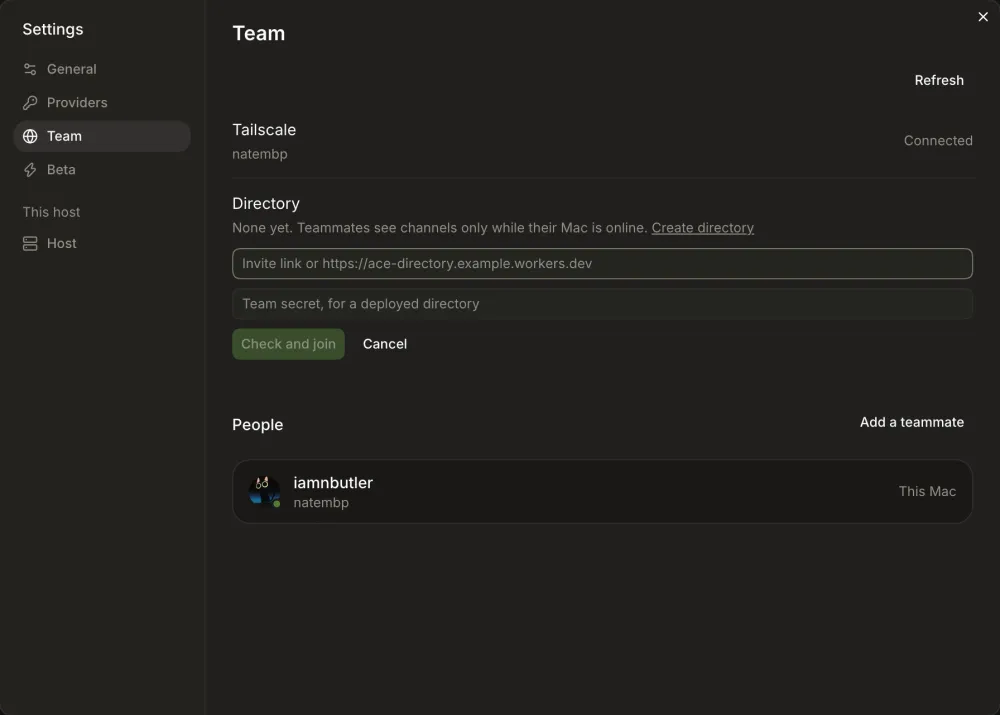
Settings → Team → Join…
Paste the directory's URL or an invite link; a deployed directory also needs the team secret. Check and join.
16 Both join forms still ask for an invite link, which a tailnet directory can't make (rest of githubnext/ace#635).
-
Click
ace.githubnext.com/join#…; it hands off toace://join, which fills in the join form.17 Blocked in the 2026-10-22 pair study: a tailnet directory makes no invite link (
There's nothing to send.), and opening one hands off to the desktop app, which was off limits.18 Pair study, Canary 0.0.53.88:
Join your teamasks forthe invite link they sent youthough a tailnet directory has none to send. -
Ask to join next to a teammate's host; their owner sees "Let <login> join your team?" and approves.
19 Reachable again through Team setup in the sidebar and Settings → Team (githubnext/ace#578). Asking itself needs a teammate's host that is already in a team.
20 Re-check, Canary 0.0.54.93: the owner's dialog arrived live (
…The request lapses at 7:08 PM.) and Approve confirmedLet iamnbutler in; the asker sawWaiting…with the lapse time, but on approval Team setup just closed with nolet you intoast, and a fully quit Ace still can't tell the owner (githubnext/ace#632).
For teams that deployed a directory before. Needs the team secret.
-
Signs in with wrangler, deploys
ace-directory-<tailnet>, saves the secret, joins, and shows the URL and secret once.21 Team setup → Get your team started → Hosted directory reaches Deploy to Cloudflare again (githubnext/ace#578); no deploy has been run from it.
22 Canary 0.0.51.85: reached the dialog and Show the command (
bun services/deploy.ts cloudflare); not deployed over the existing directory.