Projects
Add a folder as a project, set it up, and share it.
Adds a folder on this host to the project list and selects it. A subfolder of a repository opens the repository's root. Opening never creates a channel.
-
Project picker → Open folder… · Cmd/Ctrl+O · palette → Open Folder… · empty state → Open folder…
A browser gets
Open a folder: one path field (~/code/project), Cancel and Open folder. -
Open a folder → Open folder
Type a full path or one starting with
~.The project is selected and the Dashboard asks what to work on in it.
/tmp/ace-96/proj/projects-lab/srcopenedprojects-lab. -
A file says
Choose a folder to open as a project; a missing path saysThere's no folder at <path>. Check the path.; a relative path saysEnter a full folder path, such as ~/code/project.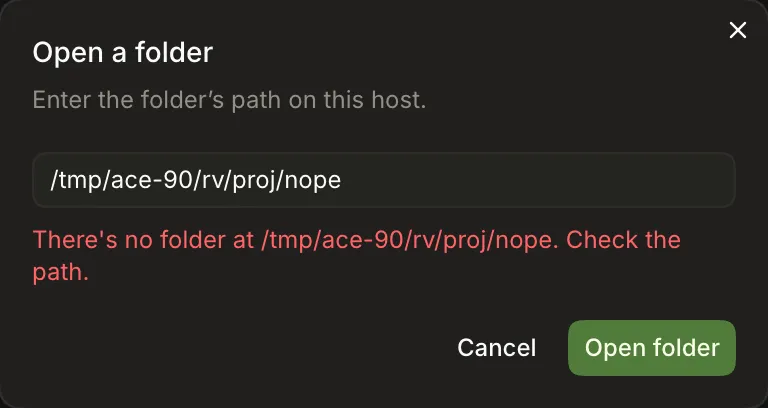
Channels work in lanes, so a folder needs a Git repository with a commit. Ace offers to make one.
-
Dashboard, or Channels page, of a folder without a commit
Initialize a Git repository to get started, explaining it runsgit init, adds a.gitignorefor secrets, dependencies and build output, and commits the rest. The Channels page shows no header, + or ⋯ until then.3 A folder that already has
.gitbut no commits still readsInitialize a Git repository to get started(left by githubnext/ace#646).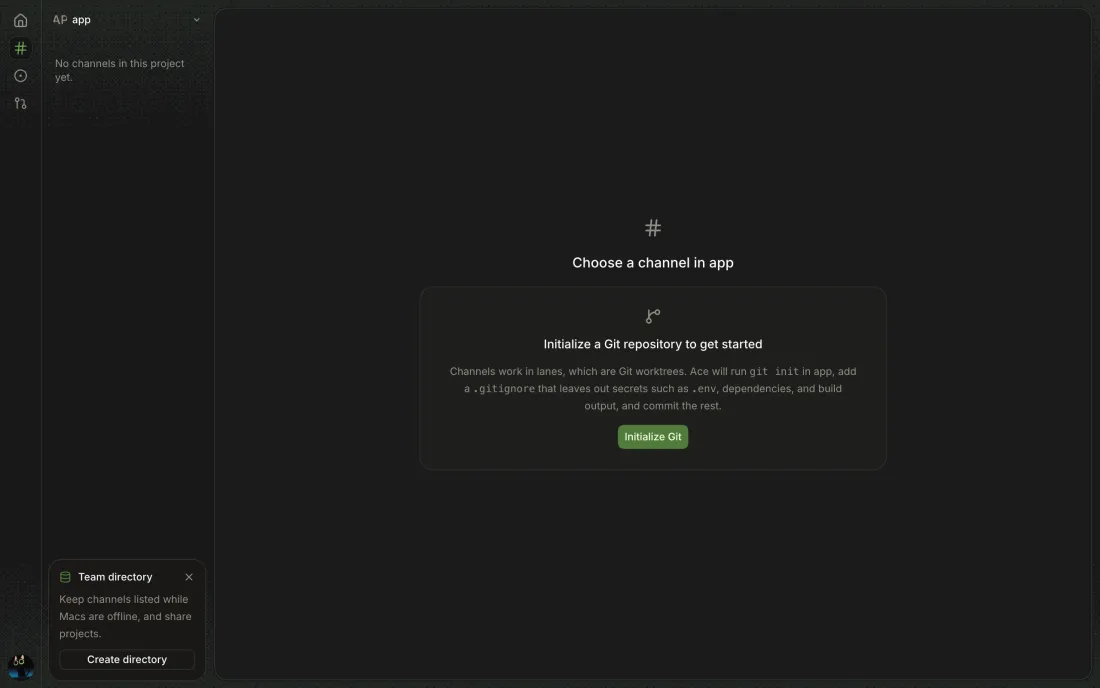
-
Initialize Git card → Initialize Git
Initializing…, then toastInitialized Git/Committed the folder's files as Initial commit. Channels can start here now.The folder has a.gitignoreand one commit,Initial commit. -
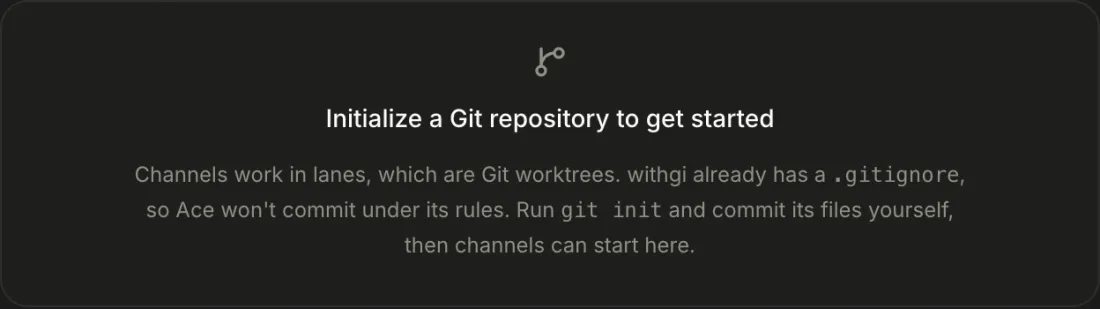
The card says the folder already has a
.gitignore, so Ace won't commit under its rules, and to rungit initand commit its files yourself. It offers no Initialize Git button.4 The card gives no commands to copy.
-
Run
git initand commit in a terminal.The card stays until you switch to another project and back, or reload; then New channel appears.
Clones a GitHub repository to this host and adds it as a project. Nothing is cloned until you confirm the folder.
-
Project picker → Clone from URL… · palette → Clone from URL… · empty state
-
Paste
https://github.com/owner/nameorowner/name.Folder fills in as
<projects folder>/<name>(~/code/Hello-Worldby default) and the button readsClone to <folder>. Editing the folder keeps your path. -
Clone from URL → Clone to <folder>
Setting up…while the form stays open, then the project is selected. octocat/Hello-World cloned into/tmp/ace-96/proj/Hello-World. -
No clone; the existing checkout opens with toast
Opened the checkout already at <path>.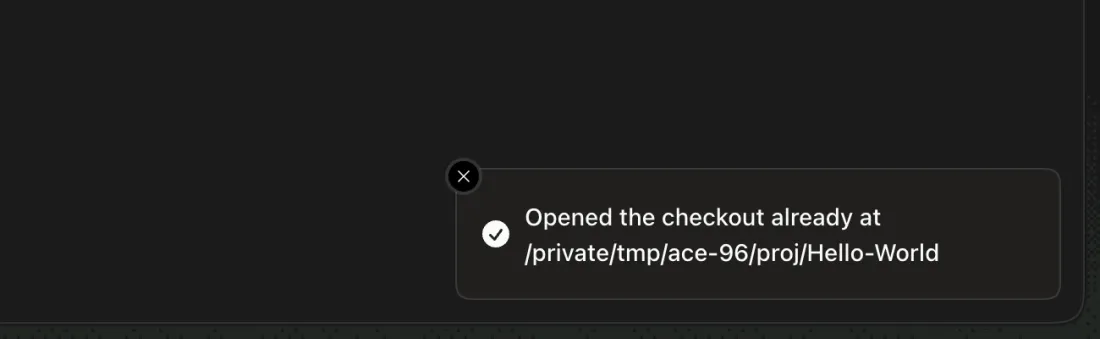
-
Inline under the form: a non-empty folder (
already has other files. Choose an empty or new folder.), a file (is a file. Choose a folder.), another repository's checkout (is a checkout of octocat/Spoon-Knife. Choose another folder.), a relative path (Enter a full folder path, such as ~/code/project), a non-GitHub URL (Ace clones GitHub repositories…), and a repository GitHub can't find for this host's Git credentials, with Git's output.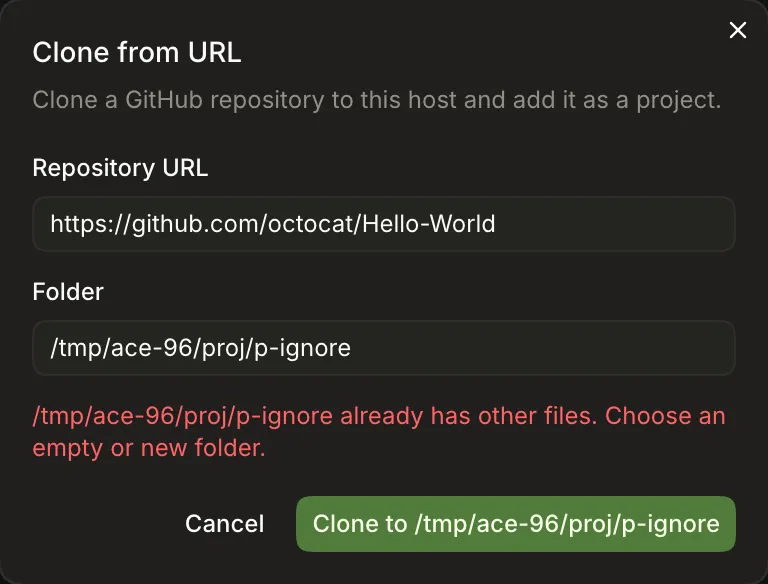
-
Desktop: Clone from URL → Choose another folder…
The clone goes in the chosen folder, still named after the repository.
A GitHub project seen only in a teammate's listing can be cloned here so channels can start on this host.
-
Starting a channel in a project not on this host asks to clone it first, then starts the channel.
5 Pair study, Canary 0.0.53.88: it never asked for a name and started
keen-deltain Ace mode onAutomaticrather than Settings' default model. Re-check, Canary 0.0.54.93:+still madehazy-ladderwith no name prompt. -
A non-GitHub folder can't be set up here; the Dashboard says to open a checkout on this host, and the picker labels it with its hosts.
6 Sits in your own Projects group as
<project> · <host>, with nothing saying who shared it.7 Pair study, Canary 0.0.53.88: the Dashboard says to
Open a checkout on this hostbut offers no way to, and the project has no Channels header, + or ⋯.
-
Dashboard → project name ⌄ · Channels page → project name ⌄
All Projects, Open folder…, Clone from URL…, then Projects (folders, in the order they were added) and one group per GitHub owner (octocat → Hello-World). The current one is ticked.
-
The Dashboard and Channels page switch to it; the choice survives a reload.
-
Two folders named
appshow asapp — p-aandapp — p-b; a GitHub project gets its owner. Removing one turns the other back intoapp.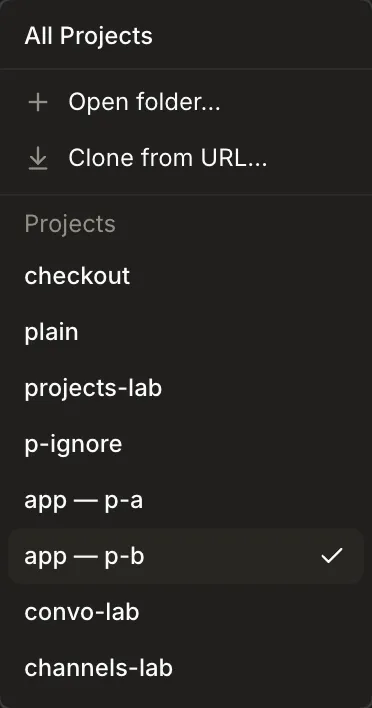
-
Project picker → All Projects
The Channels page lists every project as a header with its channels under it and
Choose a channel from any project.
Forgets the folder; its files and lanes stay where they are.
-
All Projects → right-click project header → Remove project…; Channels header ⋯ → Remove project…
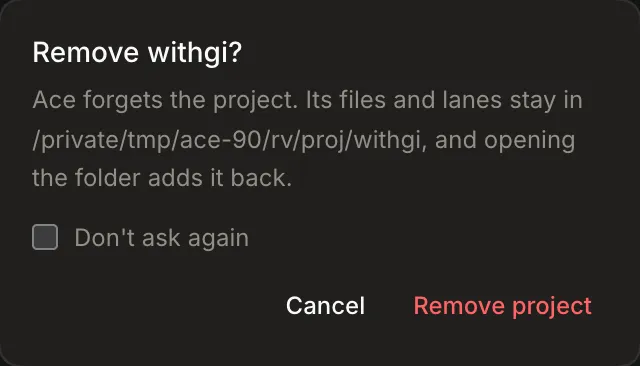
Remove <project>?says Ace forgets it and its files and lanes stay; Remove project removes it. Don't ask again skips the question next time.10 Projects that appear only through CLI channels never offer it (not re-checked).
-
Toast
Could not remove project:This project still has a channel, counting archived ones. Delete it first.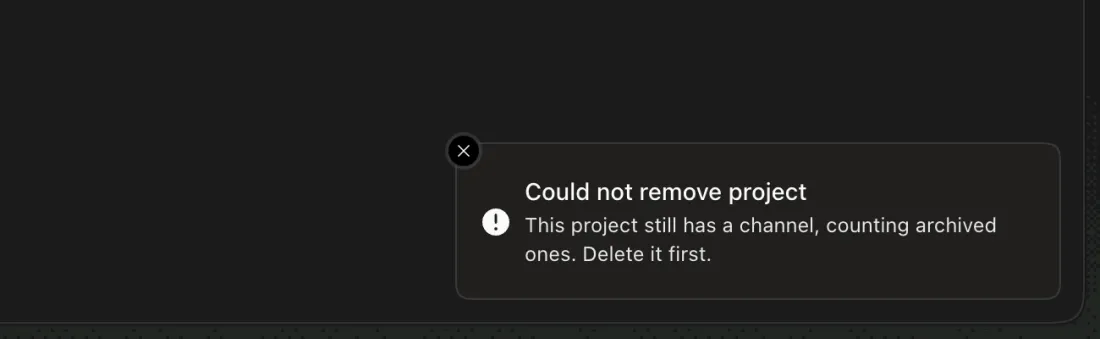
Gives the team or one person access to every channel in the project, now and later. Needs a team directory.
-
Channels page → Channels header ⋯ → Share project…, or right-click the Channels header
Share <project>: Everyone on the team switch, then each teammate with how they see it. Hidden until this host has joined a team directory.13 Not on the Dashboard or in All Projects, and absent until a folder has a commit, since the ⋯ menu and header aren't shown before.
14 Mac A's list named Sam by a stale GitHub login (githubnext/ace#610).
-
Share → Everyone on the team
A confirmation names whose channels it exposes:
Everyone on the team will see every channel in it… and can post in them.Share saves it.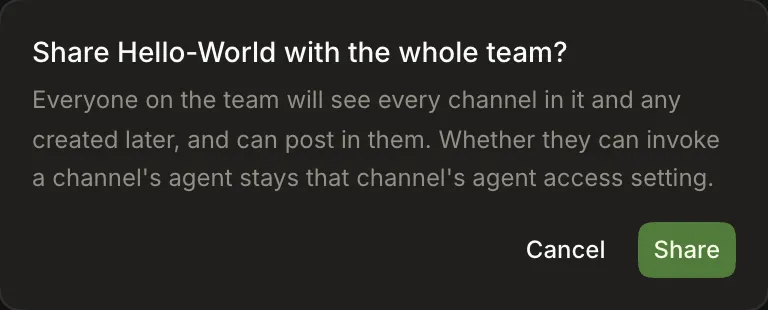
-
Only people who can read it on GitHub, or whose folder it is, can share it.and disabled controls.16 Pair study, Canary 0.0.53.88: a teammate's folder project has no Channels header or ⋯, so there's no Share entry and this sentence never shows in the app; only
ace project accessprints it. -
Project picker
It appears as
<project> · <host>only once it has a channel; a project shared with no channels stays invisible, and nothing says it was shared or by whom.
-
ace project access <folder|owner/name>One line per person and how they see it (
iamnbutler their folder,reads it on GitHub).17 Pair study, Canary 0.0.53.88: a teammate's folder project can't be named (
b-sandbox is neither a project, a folder here, nor a GitHub owner/name), andsamechocolixir/b-sandboxis looked up on GitHub and lists everyone, owner included, asno access. -
ace project share <project> team|<github login>The team can now see every channel in it… and any created later.18 Without a directory it fails with
Join a team directory to share projects.; an unknown login saysNo one on the team is rivera yet; their Ace must be running. -
ace project unshare <project> team|<github login>
-
Settings → General → Projects folder → Save
Clone from URL then suggests
<folder>/<name>: setting/tmp/ace-96/projmade Spoon-Knife default to/tmp/ace-96/proj/Spoon-Knife.