Ace map · settings

Settings

One dialog. General, Providers, Team and Beta apply to the app; the This Mac group (This host in a browser) to Ace Helper.

testedvisualpartialbrokenuntestedmissingplannednopen gap
^40

Open Settings

visual
  1. ^41

    Open Settings

    tested
    Cmd+, · Ace menu → Settings… · account menu → Settings
  2. ^42

    Switch sections

    tested

    General, Providers, Team, Beta; then This Mac: Ace Helper, Computer use, Updates. A browser shows This host → Host only.

^43

General

visual
  1. ^44

    Pick a theme

    tested
    Settings → General → Theme

    System, Light or Dark.

  2. ^45

    Set the projects folder

    tested
    Settings → General → Projects folder

    Where Clone from URL puts repositories (default ~/code). Saved to the host's settings.

  3. ^46

    Set the default model for new chats

    partial
    Settings → General → Default model

    Saved to the host's settings.json and shown after a reload. ACE_MODEL in Ace Helper's environment overrides it, and the row says so.

    1 The list doesn't mark providers without a key, and the Dashboard composer shows no model.

^47

Model keys

partial

Anthropic and OpenAI keys live in Keychain and are never sent back to the UI. Running workers read a change on their next model request.

  1. ^48

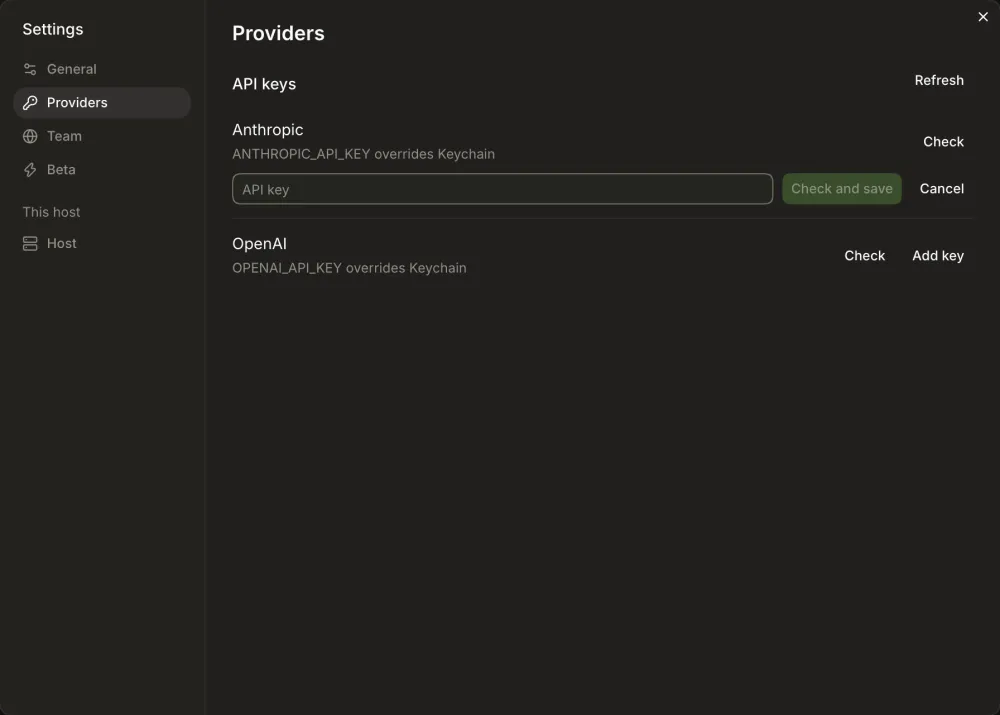
    Add a key

    partial
    Settings → Providers → Add key

    Paste the key, then Check and save.

    Connection verified. and Saved in Keychain.

    2 Form opened; not saved in this pass (no Keychain write without a prompt on the smoke host).
  2. ^49

    Replace a key

    untested
    Settings → Providers → Replace

    3 Canary 0.0.51.85: reached the form and Cancel; nothing saved, since the rig keeps the real keys.

  3. ^50

    Remove a key

    untested
    Settings → Providers → Remove key…

    4 Canary 0.0.51.85: reached the confirmation and Cancel; nothing removed.

  4. ^51

    Check a connection

    tested
    Settings → Providers → Check

    Connection verified. under the provider.

    5 Tested on Canary 0.0.51.85 (2026-10-22 study).

  5. ^52

    See an environment override

    visual

    ANTHROPIC_API_KEY overrides Keychain when Ace Helper's environment has the key (also ACE_ prefixed).

    6 Blocked in the 2026-10-22 study: needs Ace Helper started with a provider key in its environment.

  6. ^53

    Refresh after unlocking Keychain

    partial
    Settings → Providers → Refresh

    Re-reads keys after Keychain unlocks or the environment changes outside Ace.

    7 A key the provider rejects still reads Saved in Keychain (rest of githubnext/ace#626).

^54

Beta

visual
  1. ^55

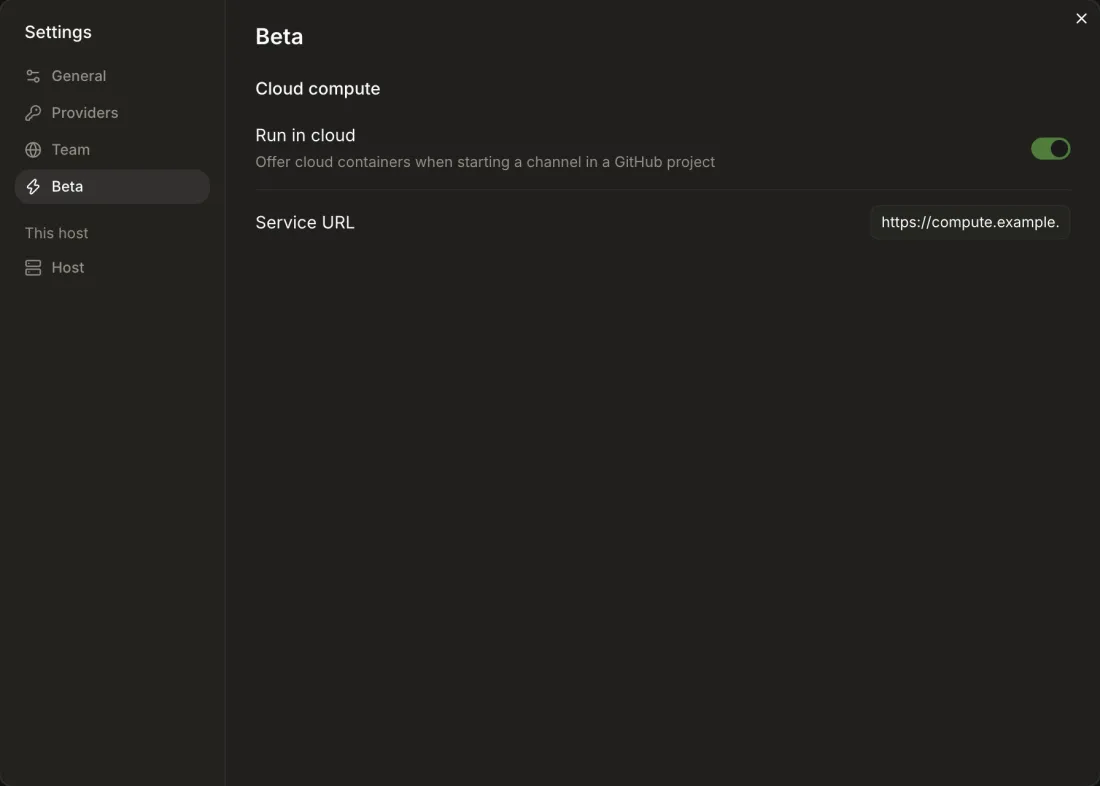
    Turn Run in cloud on or off

    tested
    Settings → Beta → Cloud compute → Run in cloud

    Offers cloud containers when starting a channel in a GitHub project. Defaults on when the directory names COMPUTE.
  2. ^56

    Set the compute service URL

    tested
    Settings → Beta → Service URL

    Saves to compute.url in the host's settings.json; clearing the field removes it.

^57

Ace Helper (Host in a browser)

partial
  1. ^58

    See Ace Helper's status and stop it

    tested
    Settings → Ace Helper → Status → Stop

    8 Canary 0.0.51.85, desktop app: Running. Starts at login. with Restart and Stop… (Stop reached its warning). The browser's Settings → Host has none of this and doesn't say so.

  2. ^59

    Read Ace Helper's log

    tested
    Settings → Ace Helper → Log

    9 Canary 0.0.51.85, desktop app: Log → Show reveals helper.log in Finder. The browser's Host page has no log.

  3. ^60

    Open Ace on your phone

    tested
    Settings → Host → Phone

    A QR code and Copy address for https://<machine>.<tailnet>.ts.net:<port+1000>. Without tailnet HTTPS it says to turn it on in the Tailscale admin console.

    10 Tested on Canary 0.0.51.85 (2026-10-22 study).

  4. ^61

    Check tools

    tested
    Settings → Host → Tools → Refresh

    Shell environment (login shell), Git version and path, shell.

    11 Tested on Canary 0.0.51.85 (2026-10-22 study).

  5. ^62

    Install or remove the command line tool

    tested
    Settings → Ace Helper → Command line tool

    12 Canary 0.0.51.85, desktop app: Install put ~/.local/bin/ace-canary in place with a Remove button. The browser's Host page doesn't offer it.

^63

Computer use

untested

Desktop only. Lets agents use this Mac while Ace is open.

  1. ^64

    See whether agents can use this Mac

    tested
    Settings → Computer use → Status

    13 Tested on Canary 0.0.51.85 (2026-10-22 study).

  2. ^65

    Grant macOS permissions

    untested
    Settings → Computer use → macOS permissions

    Grant Accessibility, Screen Recording and Keyboard input; each opens the matching System Settings pane.

    14 Blocked in the 2026-10-22 study: needs a Mac with a permission not yet granted.

  3. ^66

    See clipboard access

    tested
    Settings → Computer use → Clipboard

    15 Tested on Canary 0.0.51.85 (2026-10-22 study).

^67

Updates

untested

Desktop only; see ^12.